- Home
- /
- Qlik Cloud January 2026: what’s new
 Reading time: 10 min
Discover the highlights from Qlik’s January release. This video covers new features and enhancements in Qlik Cloud, including expanded Microsoft 365 Add-in support for Word and PowerPoint reports, improvements in business logic and vocabulary management, enhanced knowledge base accuracy, semantic search in the navigation bar, new OAuth 2.0 connectors, and updated API key management.
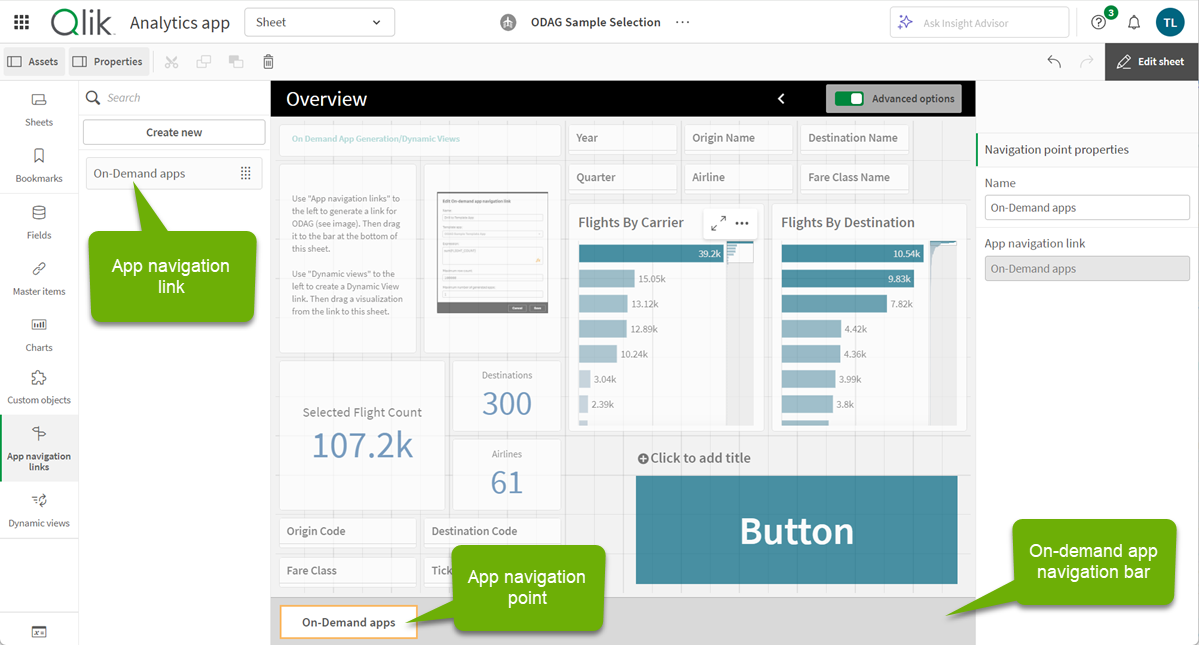
As an app developer you can now allow your users to reload a generated application. Convenient if the user wants to keep the selection to see the latest data. For security reasons the load script is removed from the script by default. You can now override that and include the script. Set the option in the ODAG link create dialogue.
It’s now possible to bring order to the public bookmarks as an app developer. The bookmark grouping is available in private and shared spaces. Non-editable groups will appear in managed spaces when an app is published there. Use the menu actions or drag and drop to group your bookmarks.
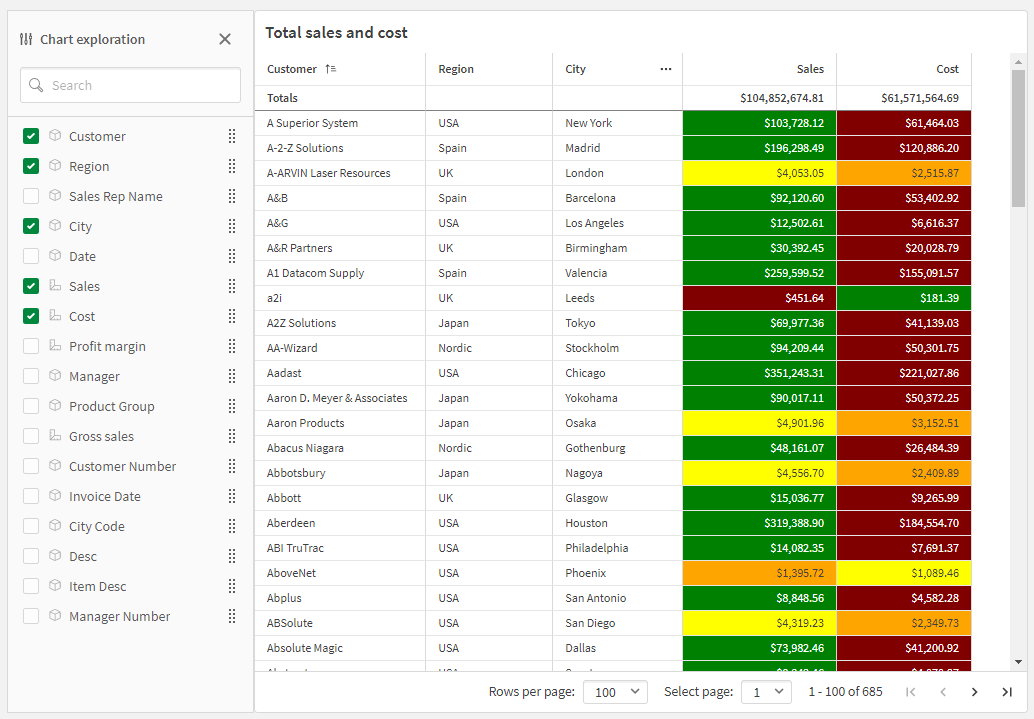
It’s now possible to re arrange columns in the straight table in view mode by mouse drag and drop. Lots of users have asked a way to do that without having to go to edit mode or use the chart exploration panel, so enjoy! The action is also reachable from the context menu to comply with accessibility standards.

The Write Table is now available in Qlik Cloud Government.
Make your analytics apps interactive. Edit data, add comments, and watch your updates sync across sessions instantly.
With Write Table’s instant syncing and change tracking, teams can collaborate in real time and export updates through Qlik Automate. Find it in the Chart Library when editing an app.
Enjoy a smoother, more efficient workflow!
Learn more at:
Two new connectors are added, Mailbox IMAP OAuth and SMTP OAuth, having support for authentication with OAuth 2.0. These provide secure access to mail servers against the respective protocol, without the limitation to only use basic authentication, allowing you to check mailbox content (via IMAP) and send emails (via SMTP).
We are introducing two improvements this week that enhance semantic configuration and usability.
Logical group assignment during master item creation
When a custom logical model with active business logic is in place, newly created master dimensions or measures must belong to a logical group to be available for natural language queries. Previously, this required a separate manual step after creation within the Business Logic configuration. With this enhancement, the logical group can be selected directly at the time of creating the master item. This ensures immediate availability of the item for natural language queries and removes the need for follow up configuration.
Reusing dimensions with master dimensions
Reusing measures with master measures
Bulk vocabulary management using Excel
Vocabulary synonyms were previously managed on an individual basis. The system now supports bulk management through Excel based imports. Users can import synonyms in bulk. Multiple synonyms or entire groups can be selected and edited or removed in a single action. This significantly reduces effort when managing large vocabularies.
Qlik Cloud’s search now makes it easier to find datasets by name or description using natural language. Just describe what you’re looking for and we’ll understand the meaning and find it. Even in multiple languages!

Direct Access gateway 1.7.10 introduces both new and enhanced features, and resolves several issues. For upgrade instructions and a list of resolved issues, see Upgrading the Direct Access gateway installation
Some data sources require column names with upper case letters or special characters to be delimited in the load script. Otherwise, an error will occur. The new Delimit column namesoption eliminates the need to manually add delimiters to the load script when loading or previewing data.
For details, see Create an ODBC (via Direct Access gateway) connection.
A new localDataRetentionDatabaseSizeInMb property has been added to the metrics collector, which allows you to set a quota for the total size of metrics data stored on the gateway machine (in MB). Old data will be deleted to ensure that the quota is not exceeded.
The metrics collector can either be configured locally in a JSON file or via the Public API.
For more information, see Metrics collector.
You can now optionally activate enhanced accuracy for new knowledge bases. Enhanced accuracy creates contextually relevant text chunks to power stronger answers and parses information in tables better for PDF, Word, and PowerPoint documents.
Produce Microsoft Word and Microsoft PowerPoint reports from the Qlik Reporting Service with expanded Microsoft 365 add-ins.
Qlik’s Microsoft 365 add-in offering for report developers is expanding with two new add-ins to enable Word document and PowerPoint presentation analytic reports.
These add-ins offer a consistent experience with the existing Qlik add-in for Microsoft Excel. Please see the Microsoft 365 add-in deployment guide for updated guidance on deploying the Office add-ins.
With the latest update to Qlik Talend Cloud, users can now leverage Data stewardship from the Qlik Cloud interface to re-mediate complex data quality issues by bringing domain experts into the loop. This capability extends automated data pipelines with governed, human-in-the-loop remediation to ensure trusted data is delivered downstream.
Qlik Talend Cloud strengthens its data quality and governance capabilities including features like:
Human-in-the-loop remediation
Enable data stewards to review, correct, and validate data records when automated validation and self-service workflows are not sufficient.
Rule-based data correction
Reuse Qlik Cloud semantic types and validation rules to ensure data is consistently formed and re-mediated according to governed standards.
Integration with Talend Studio
Seamlessly integrate data stewardship workflows with Talend Studio, allowing clean, re-mediated records to be re-injected into existing Talend Studio Jobs and downstream layers.
This enhancement operationalizes data quality resolution at scale by combining automation, governance, and domain expertise.
Validating and correcting your data with data stewardship
In addition to the existing cloud provider options, you can now connect to Google Cloud via the the Microsoft SQL Server (MS-CDC) source connector. This enhances deployment flexibility and allows you to integrate data from Google Cloud SQL for SQL Server.
Microsoft SQL Server (Microsoft CDC based)
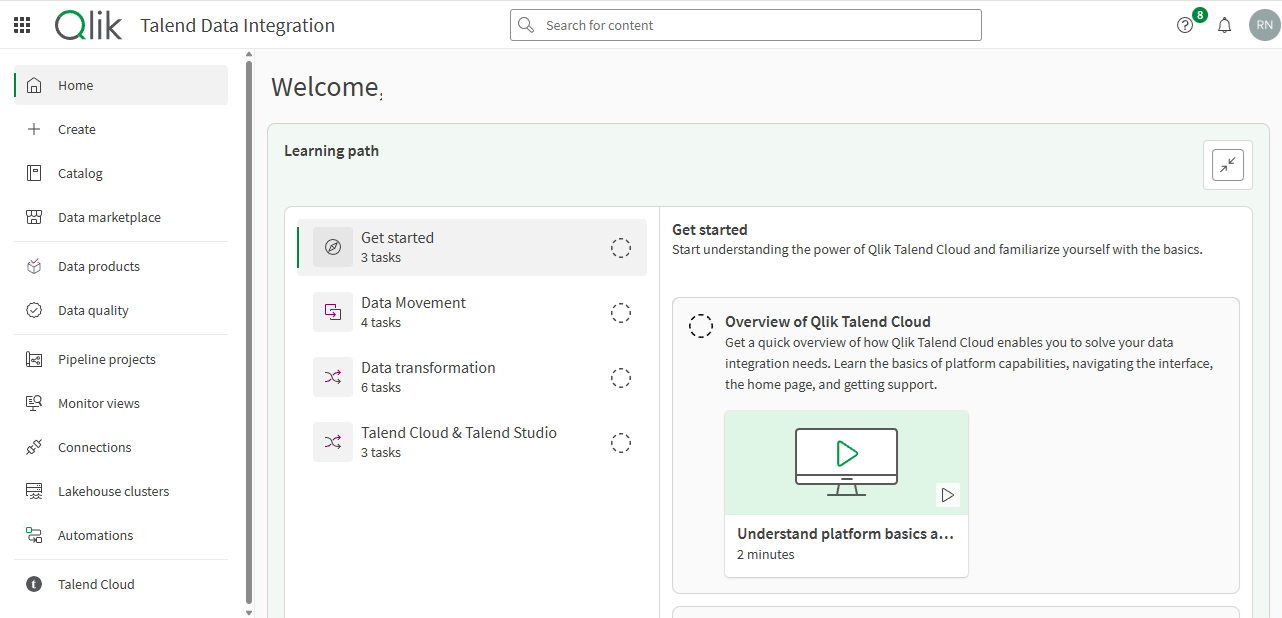
We have introduced a Create page in the Data Integration activity center to provide a single starting point for building new assets in Qlik Talend Cloud.
The new Create page offers a unified experience, making it easier to start with the mindset of “I want to create something new.” You can still create assets in context throughout the platform, depending on the approach you prefer.
This update also aligns Qlik Talend Cloud with the experience in Qlik Cloud Analytics, where a dedicated Create page serves as a central hub for initiating tasks. By providing a consistent approach across Qlik Cloud products, we help you accomplish your goals efficiently while maintaining a familiar flow when navigating.
Qlik Talend Data Integration activity center
……. … ………… ….
Any questions please contact our consultants. Responding in one working day.