Reading time: 20 min
Discover the latest innovations in the Qlik June Release for Qlik Cloud. This release introduces AI capabilities in Qlik Answers, including Data Quality, Data Products, Business Glossary agents, and native Qlik Predict integration. You’ll also see new automation features, analytics enhancements, governance improvements, platform administration updates, and performance optimization tools. Whether you’re an administrator, developer, or business user, these updates help you build trusted AI experiences, simplify data management, improve visualizations, and streamline automation across the Qlik platform:
ANALYTICS
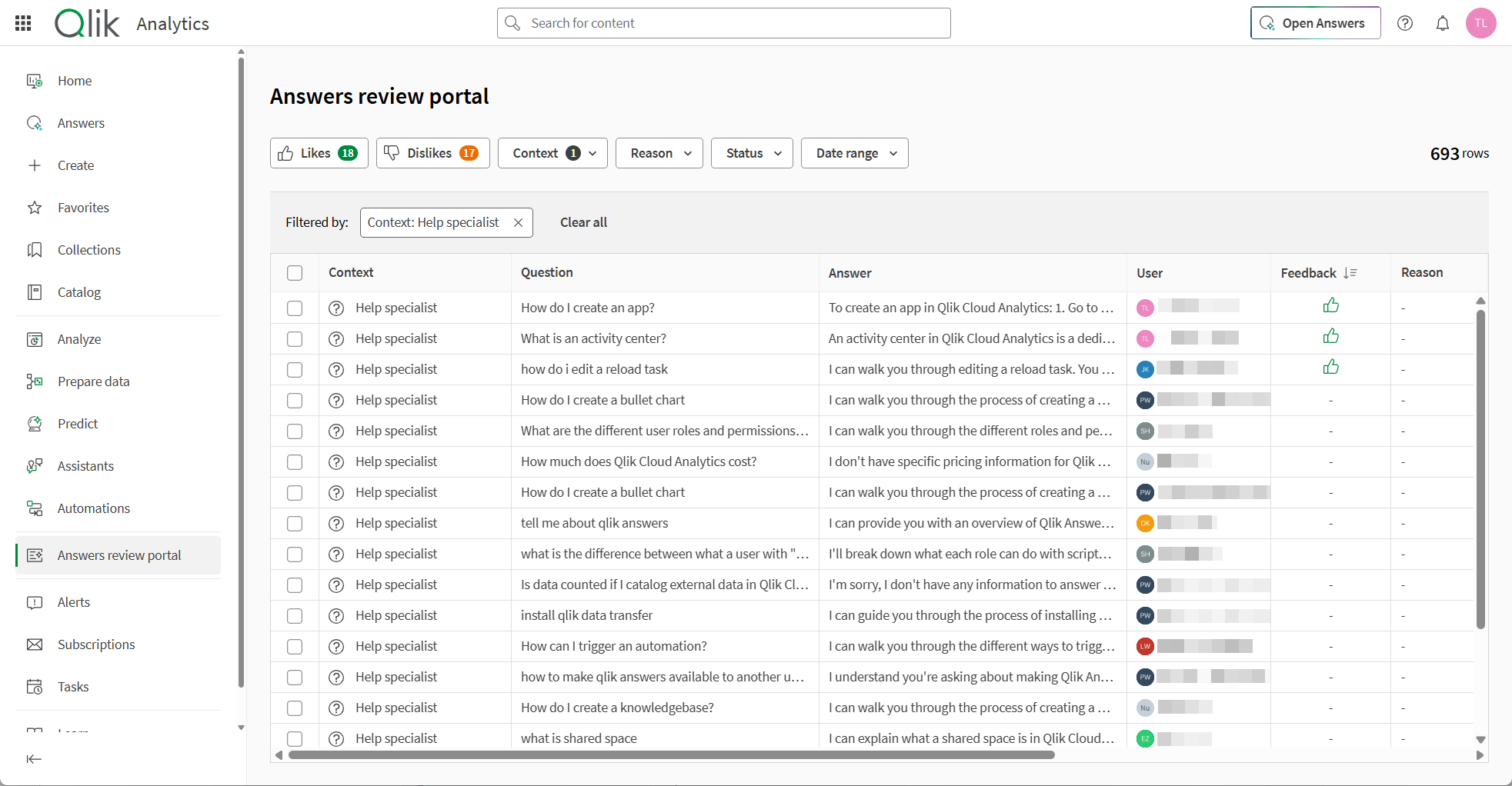
You can now review conversations and feedback across Qlik Answers agentic experiences in Answers review portal. The portal provides a tenant-wide view of conversations from assistants, applications, and the help specialist, so you can monitor interactions and drive improvements from a single location.
To access Answers review portal from the Analytics activity center, you must have a custom role with the Agentic AI > Review agent and chat interactions permission set to Allowed.
Reviewing conversations from Qlik Answers agentic experiences
Note: Not supported in Qlik Cloud Government. Not supported in Qlik Cloud Government – DoD.
You can now use Qlik Automate to take actions in Qlik Answers. Take actions on your insights collected from structured and unstructured data in Qlik Answers. Your agents can now:
Create your own automations purpose fit for your agents. Find out how to create your own automation flow for Qlik Answers.
Working with automations in Qlik Answers
Note: Not supported in Qlik Cloud Government. Not supported in Qlik Cloud Government – DoD.
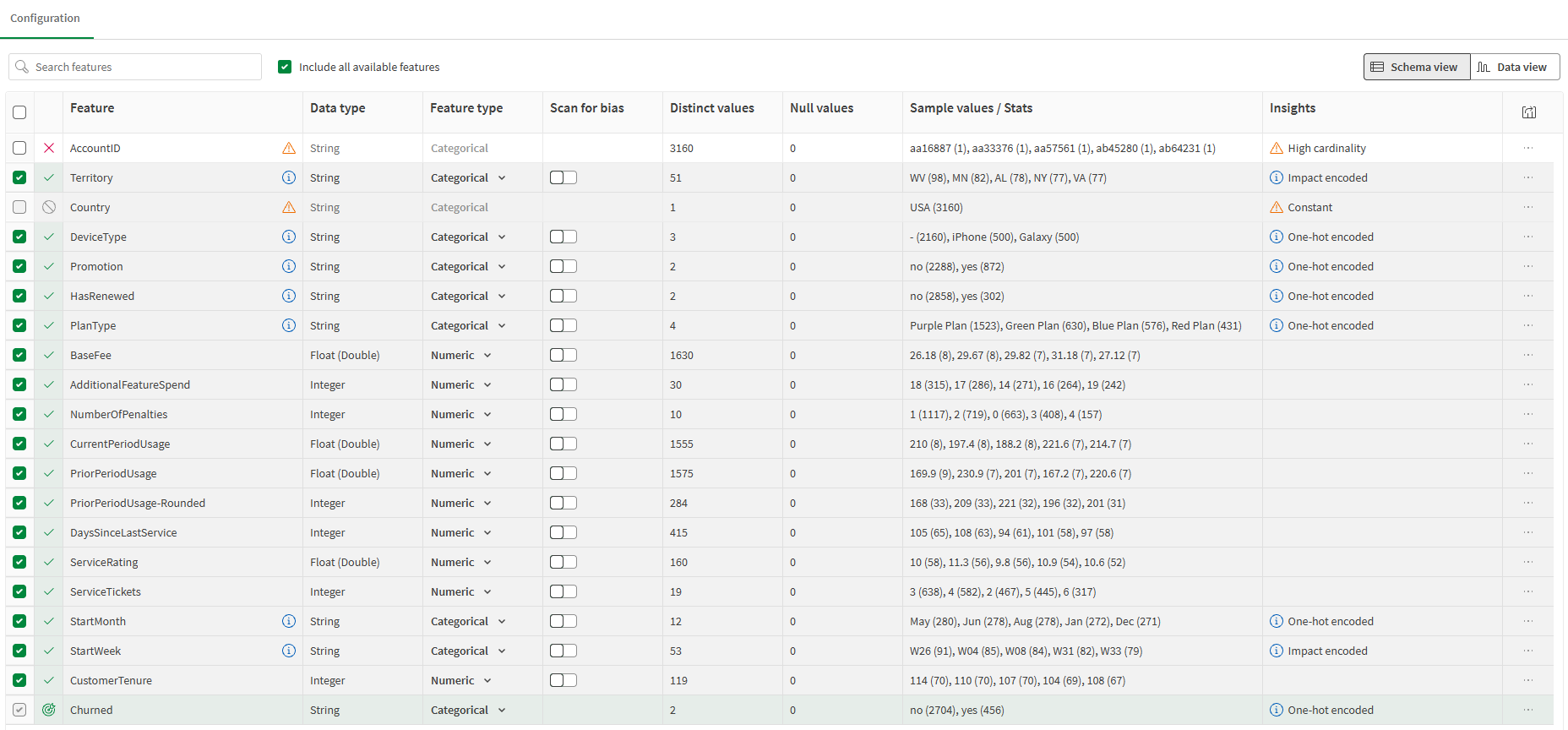
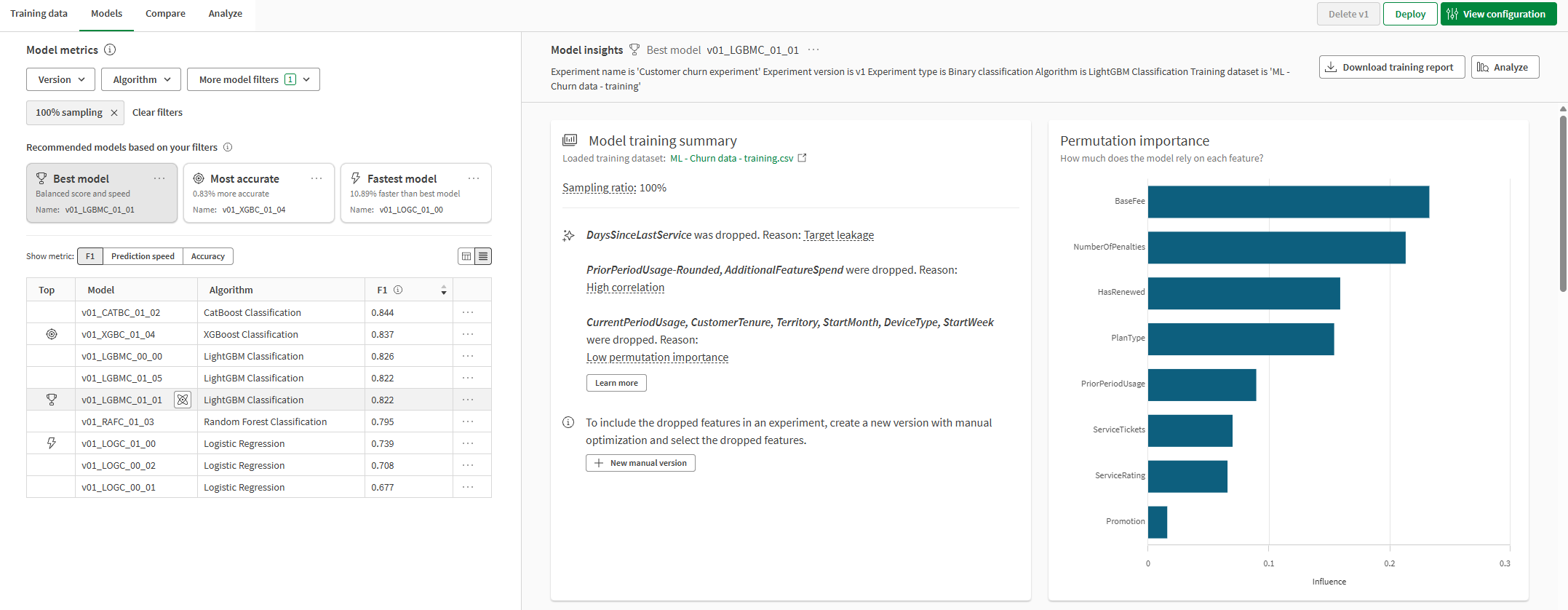
The Qlik Predict data table experience has been updated with improved controls and greater transparency into how your data is prepared for modeling. Schema and Data views now include a new column for feature treatment, updated checkbox behavior, and the ability to view child engineered features directly in the Data view. Selection and action patterns have also been streamlined throughout. Customers reviewing and configuring their dataset will find it easier to understand what the model sees — and to make adjustments with confidence.
Navigating the experiment interface
Note: Not supported in Qlik Cloud Government. Not supported in Qlik Cloud Government – DoD.
Report developers now have more flexibility in addressing business report presentation with filters at the object level. See report template authoring specifics here.
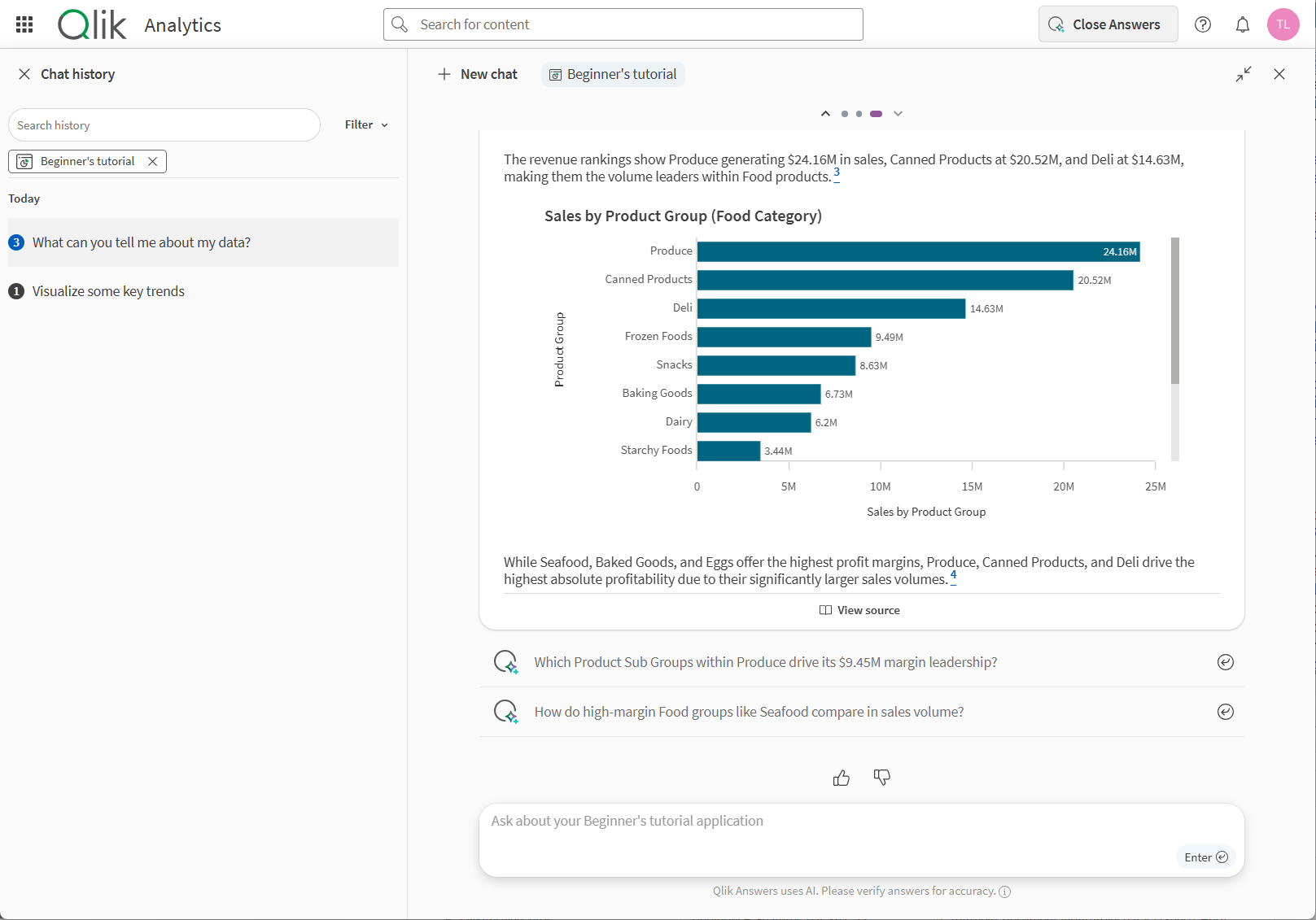
Qlik Answers can list available files and provide document summaries when you ask an assistant about the indexed files in its knowledge bases. Ask questions such as What files are available?, Give me an overview of <filename>, or Summarize <filename>. You can request an overview summary or a detailed summary with citations, one file at a time.
Answering questions with Qlik Answers
Note: Not supported in Qlik Cloud Government. Not supported in Qlik Cloud Government – DoD.
The Performance Evaluation tool now includes a Recommendations panel, adding actionable guidance to existing diagnostic data. Phase 1 includes:
Additional recommendation categories are planned for future releases.
Application performance evaluation
A new Exit Error statement allows ending script execution with a user-defined error. Unlike Exit Script, it marks the reload as failed and surfaces the error message in the reload response.
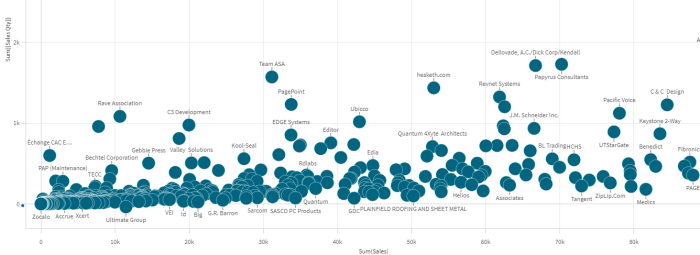
The new straight table is getting subtotals, very convenient for adding partial sums without complex expression and style table. Style with font family, size, style, color and background color just as the grand totals.
Customizing data representation in a straight table
You can now style the background and text color of header and content cells separately in the new Pivot object.
It’s now possible to create an Image object or a Text object just by doing copy paste, very practical when adding content.
If the copy buffer contains an image, pasting will upload the image to the media library and an Image object will be created with the image.
Plain text will produce a Text object with the text, most of the formatting will be preserved including links.
The recently released run history monitoring capability is now also supported in the eu-central-1 region (Frankfurt), starting today. Run history is not yet supported in the Israel, Brazil and France, but will be supported in these regions from the second half of June 2026.
You can now attach a business glossary directly to a data product to provide clear, standardized business context alongside its datasets.
Previously, data product documentation was limited to free-text descriptions and named owners. With this update, data product managers can associate an entire glossary with a data product—ensuring that consumers understand not just what data is included, but what it means.
Adding business glossaries to a data product
……. … ………… ….
Any questions please contact our consultants. Responding in one working day.