- Home
- /
- Qlik Cloud October 2026: what’s new
 Reading time: 20 min

This month’s Qlik Cloud release introduces updates across data products, data preparation, machine learning, visualizations and dashboards, data sources, catalog and lineage, administration, and automations.
Key enhancements include:
These updates expand Qlik Cloud’s capabilities across data management, analytics, AI, and automation, while improving usability and flexibility for users and administrators.
ANALYTICS
As previously announced as a feature preview and now generally available, applications now include two new themes: Foundation, the new default theme, and New Horizon, which applies Qlik brand colors. Visualization defaults have also been updated across combo charts, line charts, pie charts, filter panes, gauges, and KPIs.
You can now create, update, and apply bookmarks in Direct Query applications. Save your selections and return to them later, in the same way as in in-memory applications.
Accessing cloud databases directly with Direct Query
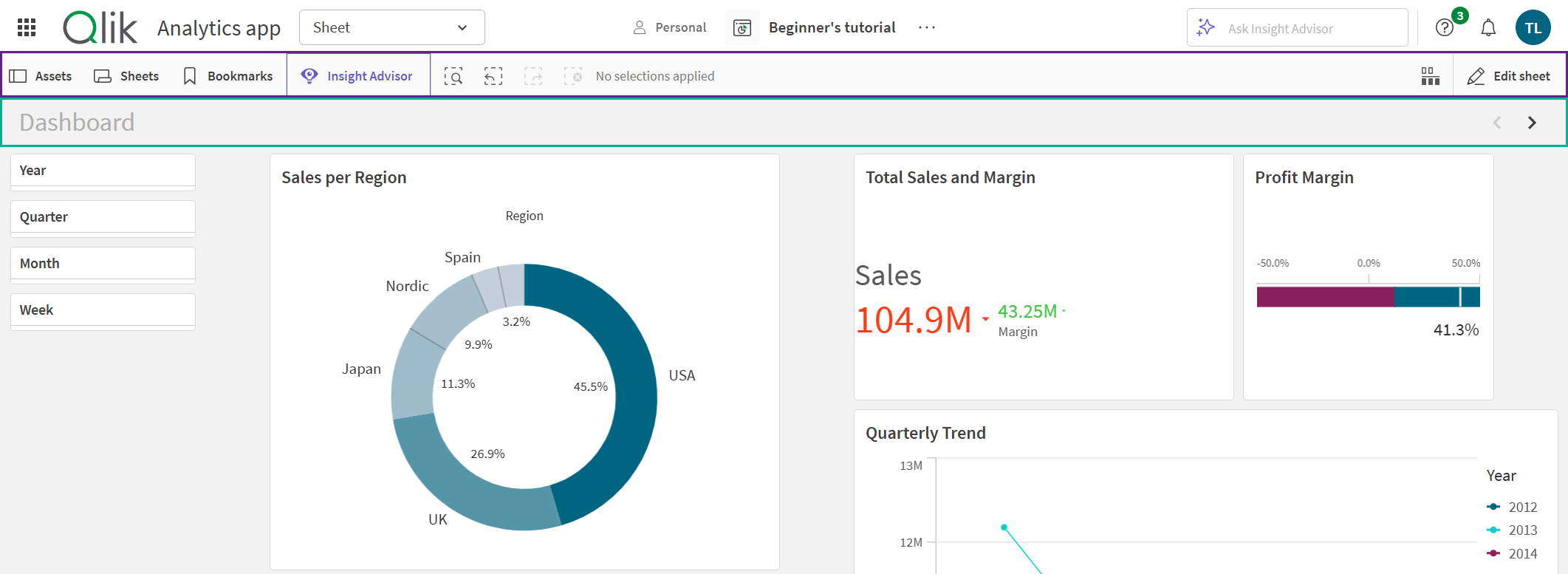
The toolbar above sheets has a new look. When you edit a sheet, search and selections now stay visible next to the edit controls, so you no longer need to leave edit mode to check or change your selections. The Edit button also has a refreshed appearance.
The toolbar adapts its button labels to the space available, so it works better in smaller windows. All existing actions, visibility rules, and permissions work as before.
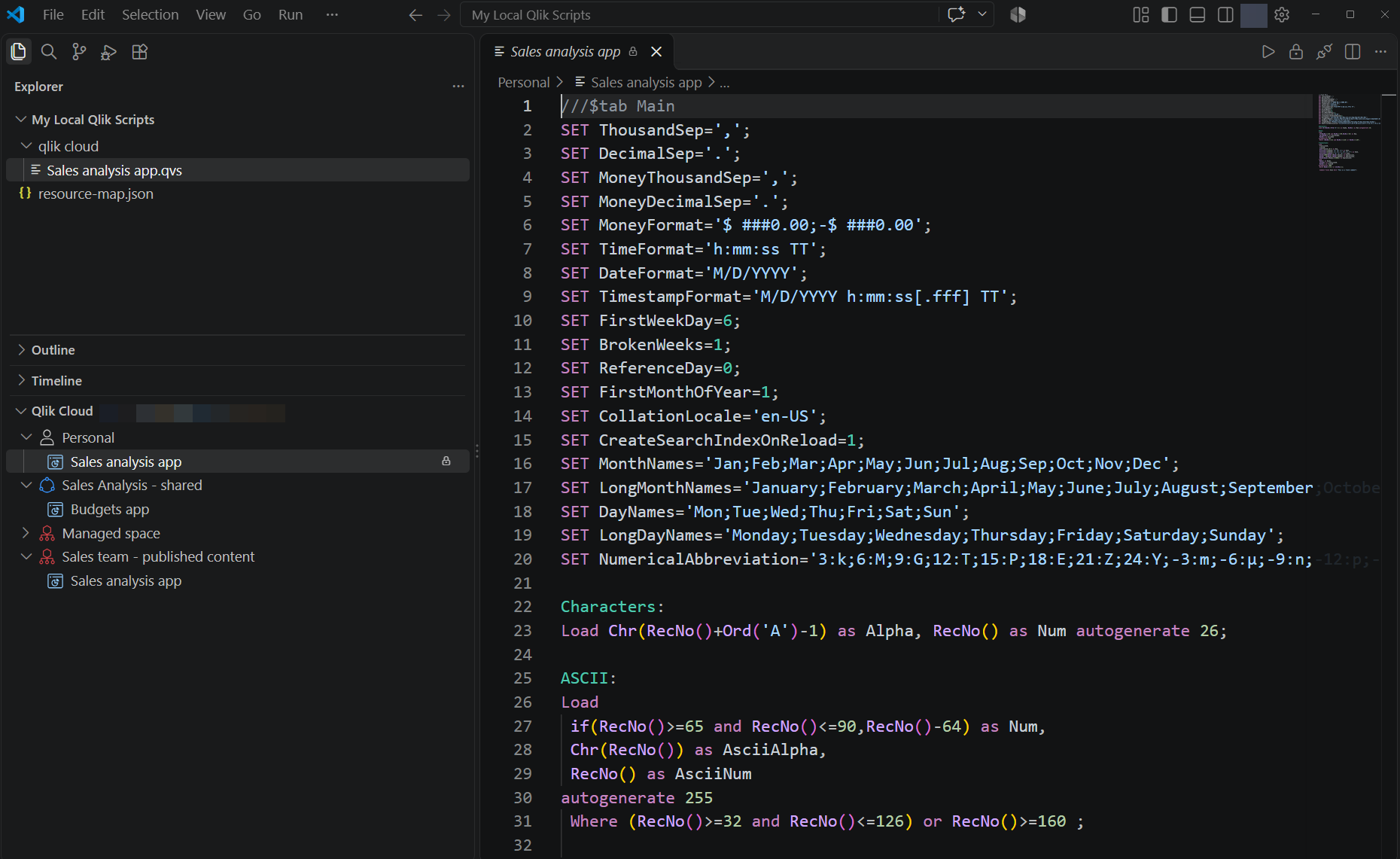
lik for VS Code is a new VS Code extension that brings Qlik Cloud load script development into the editor you already use. Write and maintain your data load scripts with modern editing tools, without copying and pasting between your IDE and the Data load editor.
Giving you the opportunity to more easily keep your scripts under version control alongside the rest of your code and use local AI-assisted development, for example with GitHub Copilot or Claude.
Qlik for VS Code is available now on the VS Code Marketplace.
Qlik for VS Code will continue to improve with the addition of support for more Qlik assets; be sure to keep a lookout for future releases.
Note: Not supported in Qlik Cloud Government. Not supported in Qlik Cloud Government – DoD.
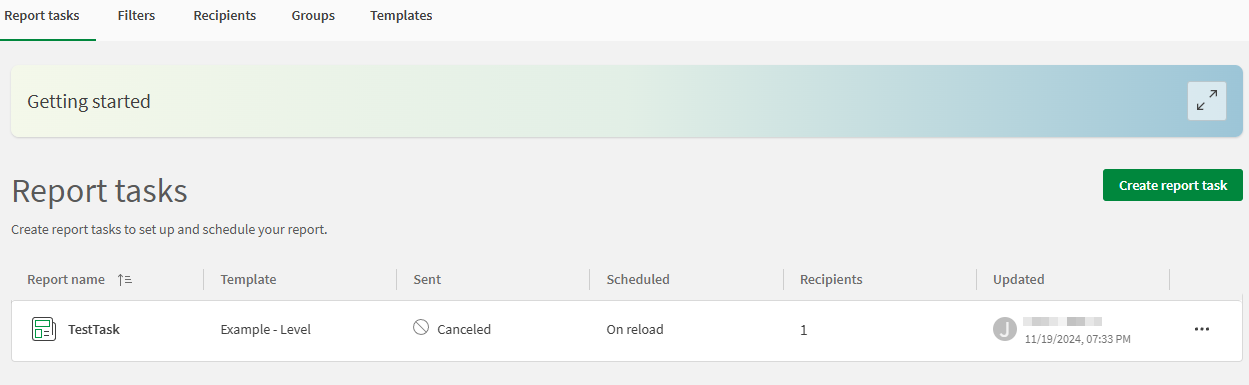
Report tasks now support an advanced file naming option to allow more meaningful file names in report distributions.
Connecting an AI assistant to Qlik Cloud is now simpler, and it starts with one setting. Set MCP to Allowed in default permissions and everyone in your tenant can use the Qlik MCP server. There’s no custom role to build, assign, or keep up to date.
Why it’s worth doing:
Note: Allowing MCP for users doesn’t replace approval of the MCP client. A tenant administrator still approves the first connection from a new client.
Allowing user access to Qlik MCP server
Connecting Claude to your Qlik data now takes a few clicks. Find Qlik in Claude’s connector directory, select it, enter your tenant address, sign in, and approve. Claude can then answer questions using your governed Qlik data, with no client ID to copy and no custom setup.
Why it’s worth doing:
Connecting Claude to the Qlik MCP server
You can now browse and load Google Sheets using the Google Drive connector. You can also configure a Google Drive connection to be read-only, so that it can’t be used to store files.
Data Products can now include a semantic model: a shared definition of tables, fields, relationships, dimensions, and measures that analytics applications consume by reference, instead of rebuilding the same data model and master items in every application. This gives analysts and agentic AI one governed set of definitions to work from.
Defining business meaning once and applying it consistently makes the semantic model a governed foundation for analytics and agentic AI.
Semantic models in data products
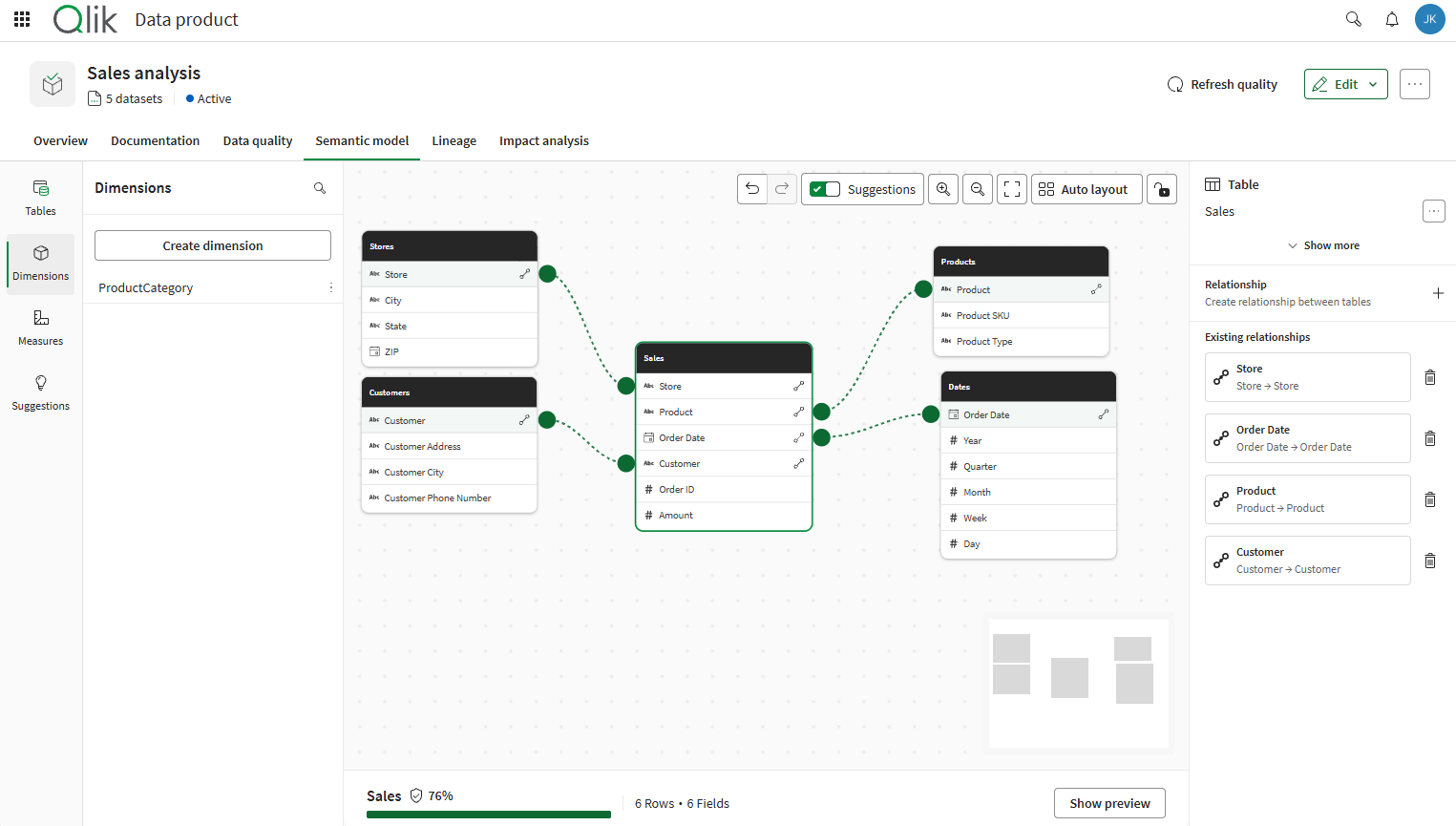
You can now build and refine the semantic model of a data product with AI agents, in natural language and with human review. Use Qlik Answers directly in Qlik Cloud, or connect your own AI tools and agentic workflows through the Qlik MCP server. Both work on the same governed definitions as the visual modeling experience, within existing access controls.
Together with the existing agentic capabilities for data products and business glossaries, this brings agentic support to build and maintain your semantic layer in Qlik. Agents and people work on the same governed definitions, so what is built conversationally is reusable across applications and agentic workflows.
Describe what you want and review the changes. Build relationships between tables, create standard dimensions and measures, add descriptions and tags in bulk, extend the model when a new dataset is added, or get suggestions to improve an existing model.
Managing data products with Qlik Answers
AI tools and coding agents can read the semantic model of a data product, and create and update relationships, dimensions, and measures. This opens the semantic model to integration with other tools and agentic workflows, for example by bringing in reference definitions from other systems.
You can now extract a data product from an existing analytics application, and reuse what you already built instead of starting from scratch. The data product includes the application’s data and a corresponding semantic model, covering its relationships, dimensions, and measures. This capability is released as Public Preview.
Current limitations: applications that use section access are not supported, and cyclic and drill-down dimensions cannot be extracted.
Teams with mature applications can leverage their existing investment, harvesting years of business logic and promoting it into reusable, governed, shared definitions.
Extracting data products from analytics applications
Note: Feature previews are not available in Qlik Cloud Government or Qlik Cloud Government – DoD.
Data Flow now supports inline data entry and lookups, covering more data preparation use cases without writing script:
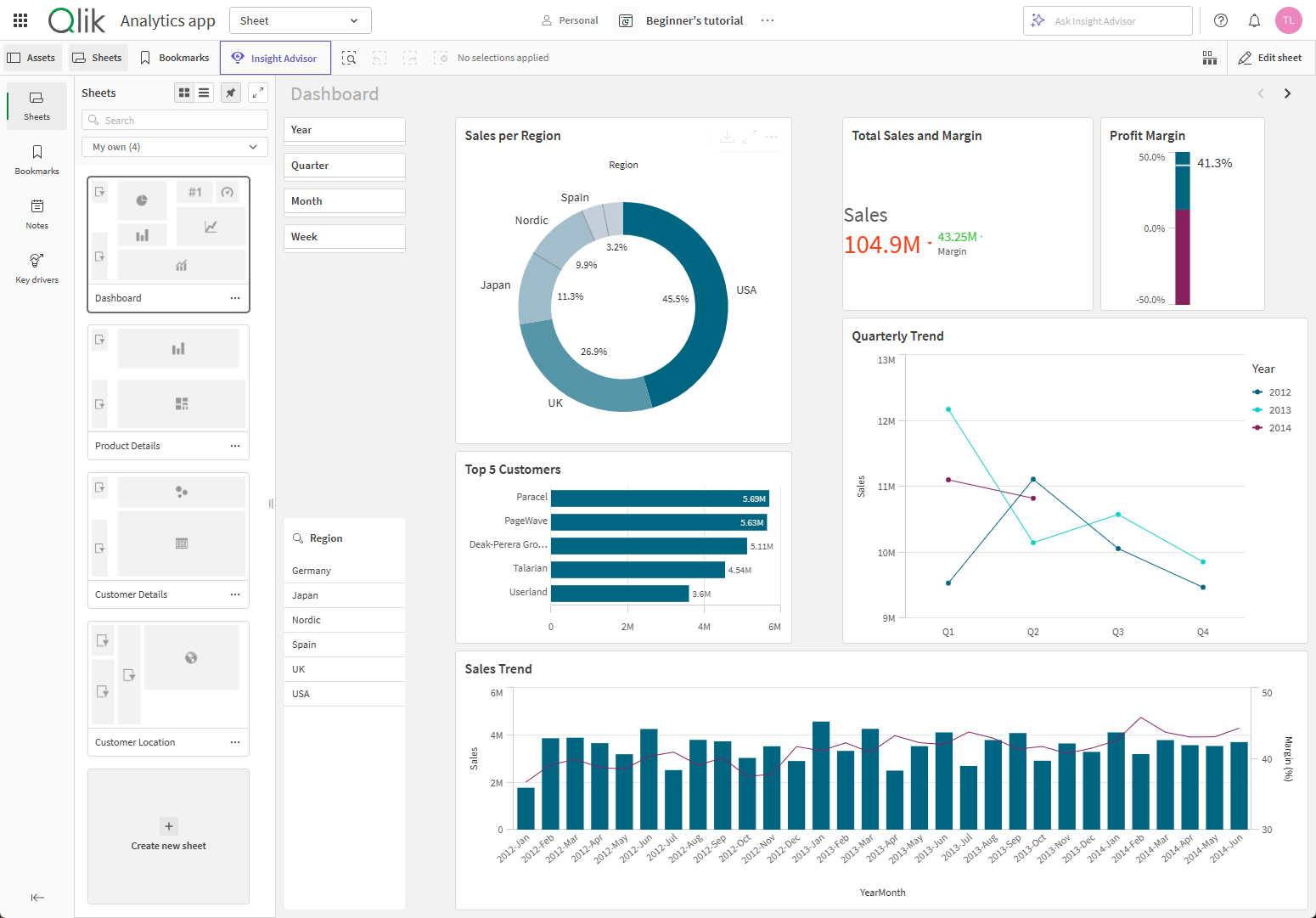
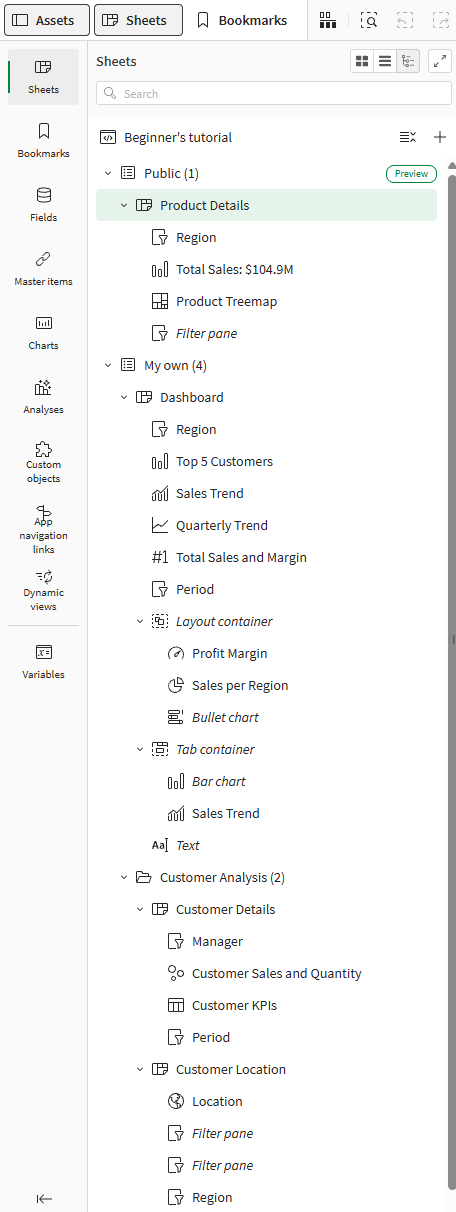
Making application design easier, the new tree view in the asset panel shows your sheets and the objects on them as a hierarchy, next to the grid and list views.
Get a clear overview of how your application is organized, find content faster and rearrange it with drag and drop, including the layout container.
Turn it on under User profile > Feature preview and tell us what you think.
Managing sheet content in tree view
The new Text object is getting improvements. In addition to the fixed font size mode, we now also have fluid mode and responsive mode similar to how the KPI object works.
To simplify transition from the old Text & Image object, copy to convert and inline images are now also supported.
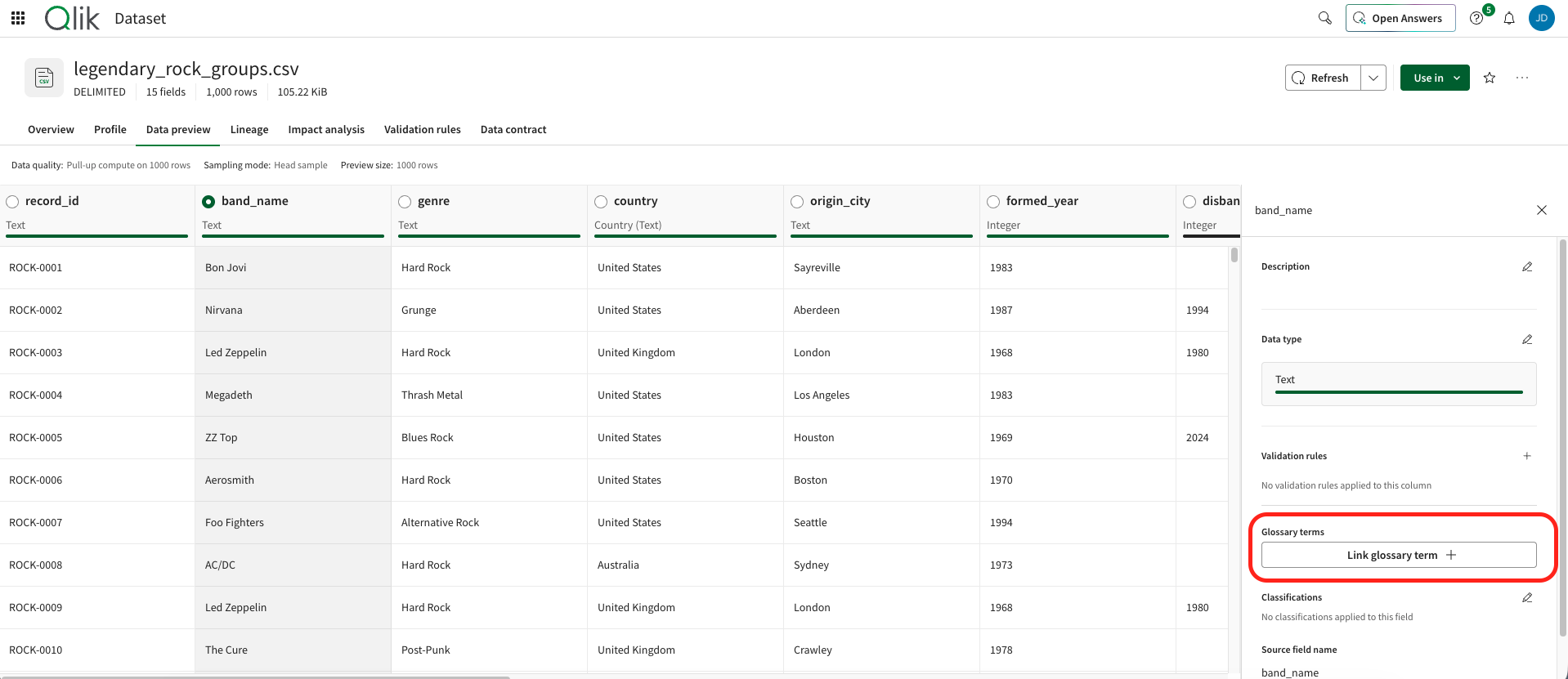
You can now link business glossary terms to dataset fields directly from the dataset, and see the linked terms next to the data they describe. These links were already available to AI assistants through MCP and to the business glossary manager in Qlik Answers, and are now also visible and maintainable in the user interface.
Users can understand what a field means without leaving the dataset, and find the data behind a business term, which builds trust and makes data easier to discover.
Linking dataset fields to business glossary terms
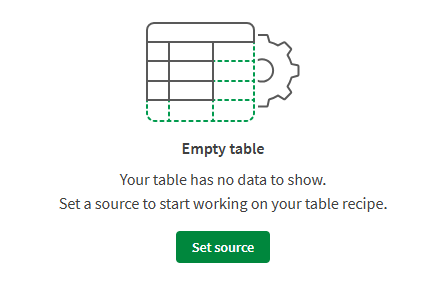
When preparing data in Table Recipe, you can now preview the data at any step and give each step a meaningful name, making recipes easier to review, amend, and understand for other users.
Both capabilities are available in standalone table recipes and in recipes embedded in a data flow through the Table recipe processor.
It’s now possible to style the borders of the individual listboxes inside a filter pane. Prior only the filter pane borders could be controlled, now the app developer has total control of the look and feel.
We’ve refreshed the Qlik Predict experience with a cleaner, more consistent interface and several usability improvements throughout the prediction workflow — from starting a new experiment through model insights.
Redesigned experiment configuration
The experiment configuration panel has moved from an accordion layout to a two-panel view, with updated labels, section content, and clearer experiment type descriptions to help you configure experiments with more confidence.
Improved data table experience
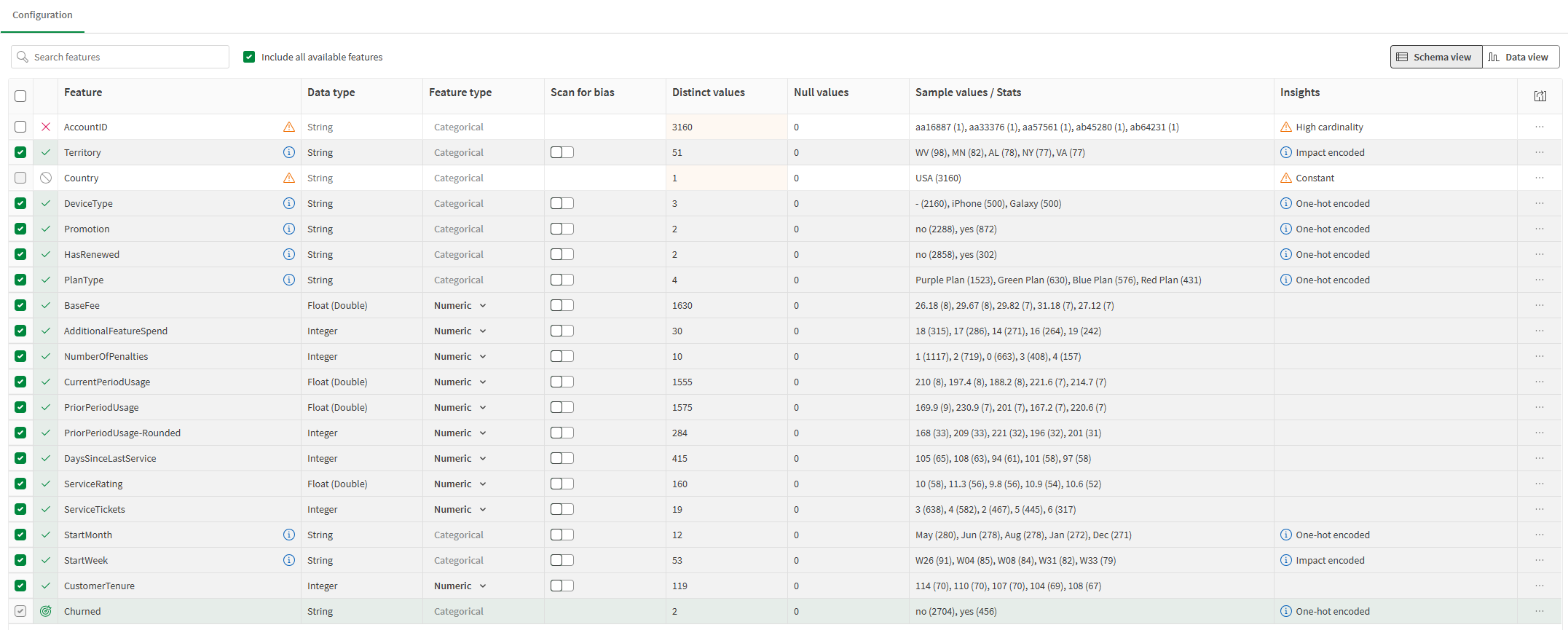
The Schema and Data views have been updated with refined content handling, updated checkbox behavior, a new column for feature treatment, visibility into child engineered features, and a more consistent table select-and-action pattern.
Navigating the experiment interface
Model insights redesign
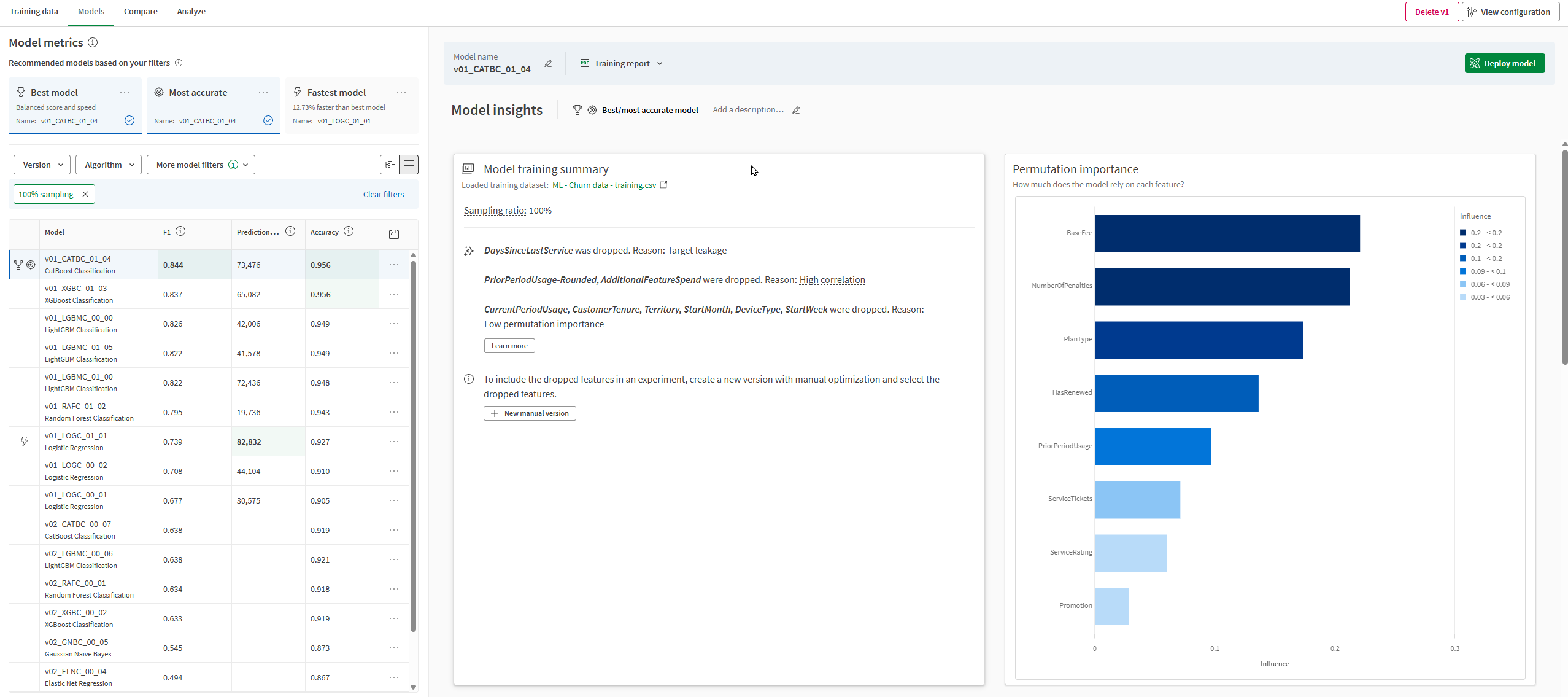
The Model insights page and results tables have been redesigned to align with Qlik’s broader reporting experience, making model outputs easier to interpret.
Performing quick model analysis
Note: Not supported in Qlik Cloud Government. Not supported in Qlik Cloud Government – DoD.
Qlik Automate can now trigger automations in real time when changes are saved to a Change Store, using a new public webhook event. This removes the need for manual runs or scheduled polling of the Change Store API, enabling near real-time sync of Write Table data to third-party systems (e.g., governance logs or archives). Subscriptions can be filtered by change store ID, and the event payload includes the change store ID, app ID, user ID, and timestamps.
Supported event types for webhooks
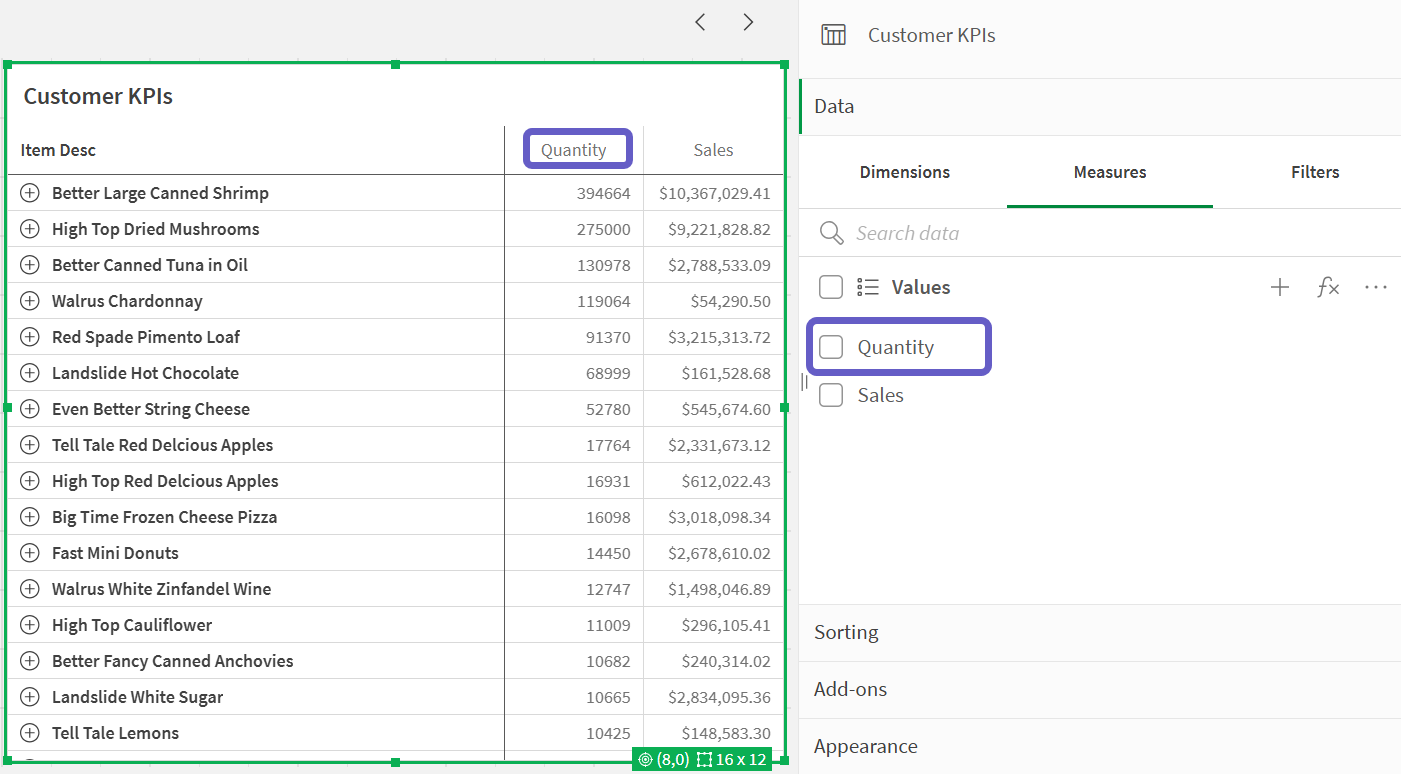
A common ask from the business is the ability to format the look and feel of null values in tables. It’s now possible to style both dimension and measure null values for both the Straight table and the Pivot. The null value, font style, font color and background can be set in the styling panel.
New QTC SAP HANA RFC Connector for SAP table replication from S/4HANA and ECC on HANA systems. Option for SAP HANA customers impacted by SAP blocking all ODP-RFC access in December 2026 or wanting better performance than OData. Qlik ABAP Add-on installed on SAP system allows for table registration and snapshot/change log processing for CDC capability. QTC SAP HANA RFC Connector calls ABAP Add-on directly avoiding direct database access to process Full Load and CDC requests.
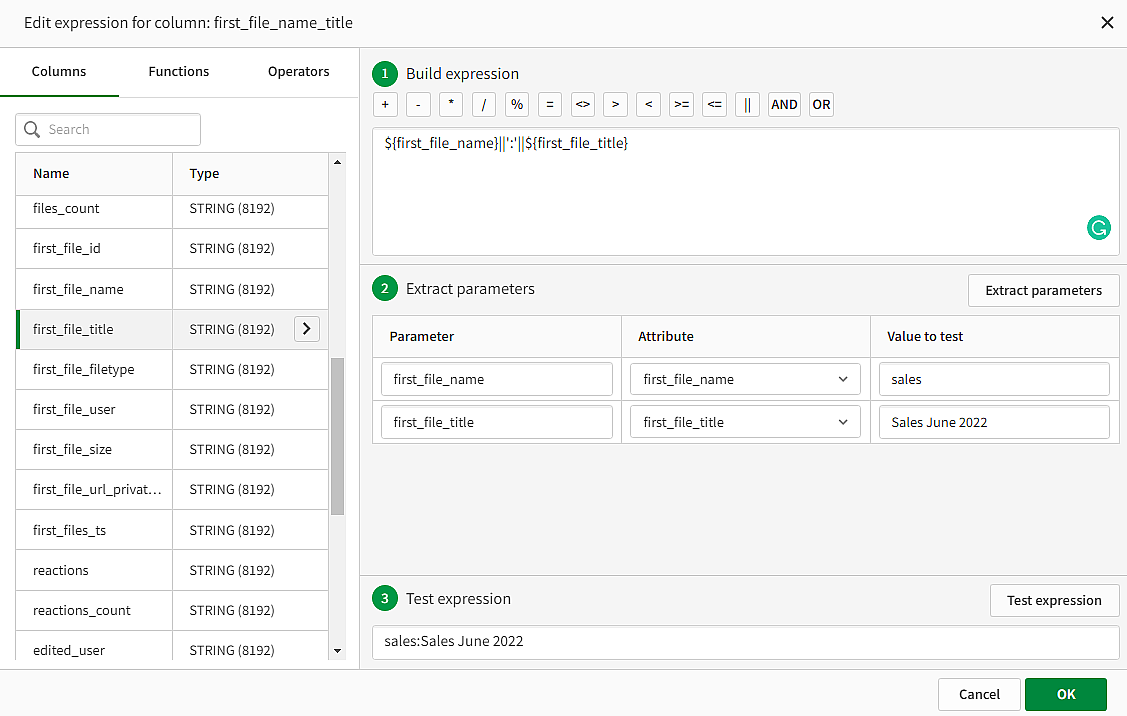
In Qlik Talend Cloud Pipelines, landing and replication tasks that use the Data Movement Gateway now offer additional expression-builder functions. Use them to transform data before it lands in the target. The list includes many familiar Qlik Replicate functions, and CDC header columns are also available.
Why it matters
For details, see Building expressions, Expression functions, and Expression headers.
Updates in 2026:
Any questions please contact our consultants. Responding in one working day.

November 13, 2026
10 min