Reading time: 20 min
Catch up on everything new in Qlik’s May release highlights! This month brings powerful updates across dashboards, data governance, automation, permissions, AI, and developer tools. Here’s a quick walkthrough of what’s new and how it helps you analyze, collaborate, automate, and manage data end to end.
DATA ANALYTICS
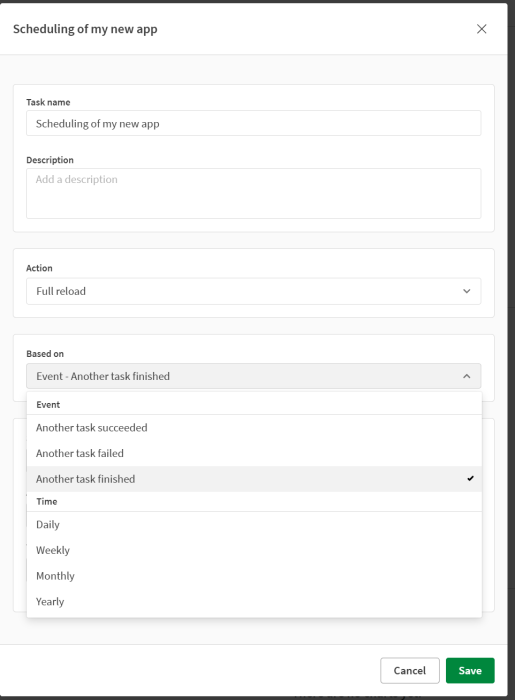
We’ve expanded the flexibility of workflow orchestration in the new Scheduler component by enabling more advanced chaining scenarios — including flows where downstream tasks can continue regardless of whether previous tasks succeed or fail.
This enhancement helps reduce workflow complexity and supports more resilient automation patterns for enterprise-scale scheduling and orchestration scenarios.
Creating task chains for data refreshes
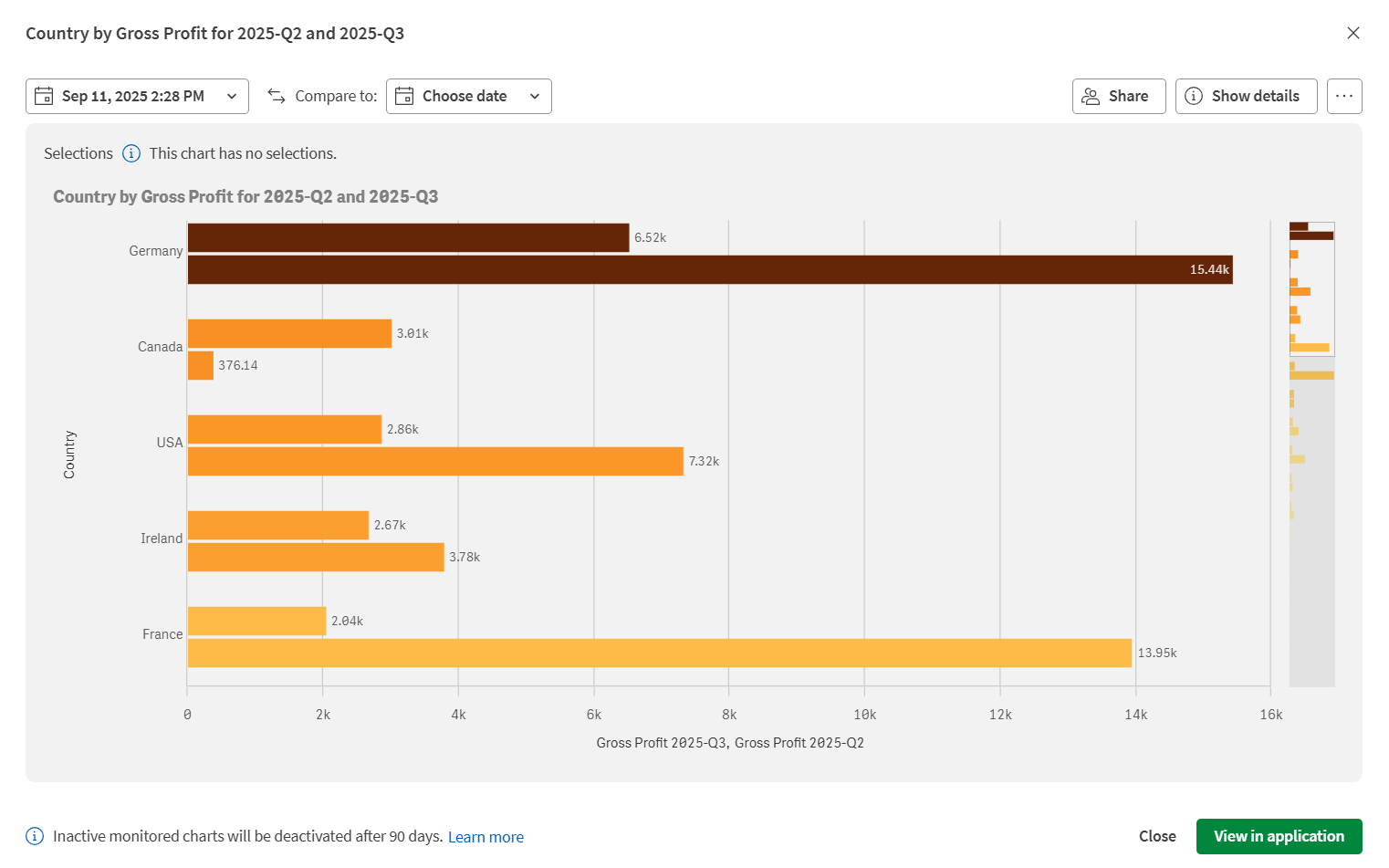
You can now copy monitored charts to your clipboard or save them as PNG images. This makes it easy to share chart snapshots in emails, presentations, or collaboration tools without requiring recipients to access Qlik Cloud. Access these options from  when viewing a monitored chart in your activity center.
Copying and saving charts as images
Tenant Administrators can now use mobile scopes to manage their user adoption of the Qlik Analytics mobile app. These scopes further harden the integration with Microsoft Intune via a server side control for MAM deployment — removing the initially released, user control MAM toggle.
Setting access to the Qlik Analytics mobile app
Securing and configuring the Qlik Analytics mobile app with Microsoft Intune
Note: Not supported in Qlik Cloud Government. Not supported in Qlik Cloud Government – DoD.
Direct Query now supports using Qlik Engine functions within $(=…) expressions in KPIs and custom SQL statements. You can use GetUserAttr and if functions to create dynamic, user-context-aware data filtering. This enables you to implement row-level security and personalized data access in Direct Query applications without loading data into memory.
Accessing cloud databases directly with Direct Query
Custom SQL examples for Direct Query
Qlik Cloud Government now extends Qlik Reporting Service capabilities with the Microsoft 365 Add-ins for report template authoring and resulting report file outputs of Word, Excel, and PowerPoint documents.
Note: Not supported in Qlik Cloud Government. Not supported in Qlik Cloud Government – DoD.
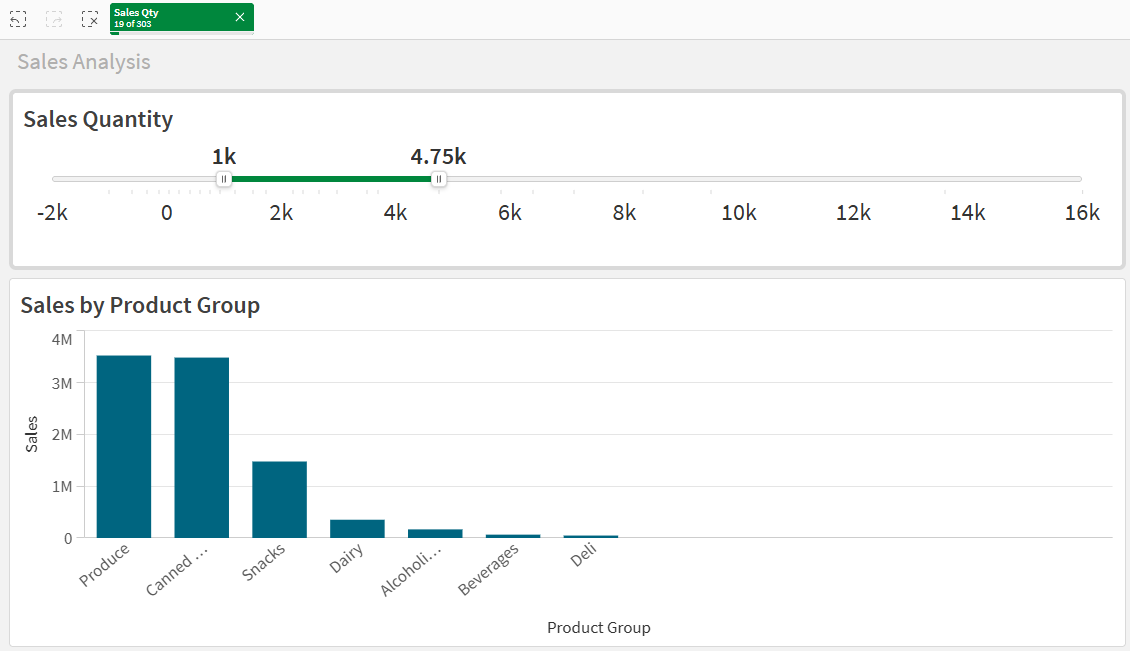
There is a new slider in the dashboard section. The slider works with both fields and with 1 and 2 variables. The slider has many styling options including directions, colors, background, range, labels and more. The slider replaces the slider functionality in the variable input object. The slider is perfect for filtering continuous numeric data (revenue, price, time etc.) instead of manually typing or using dropdown lists.
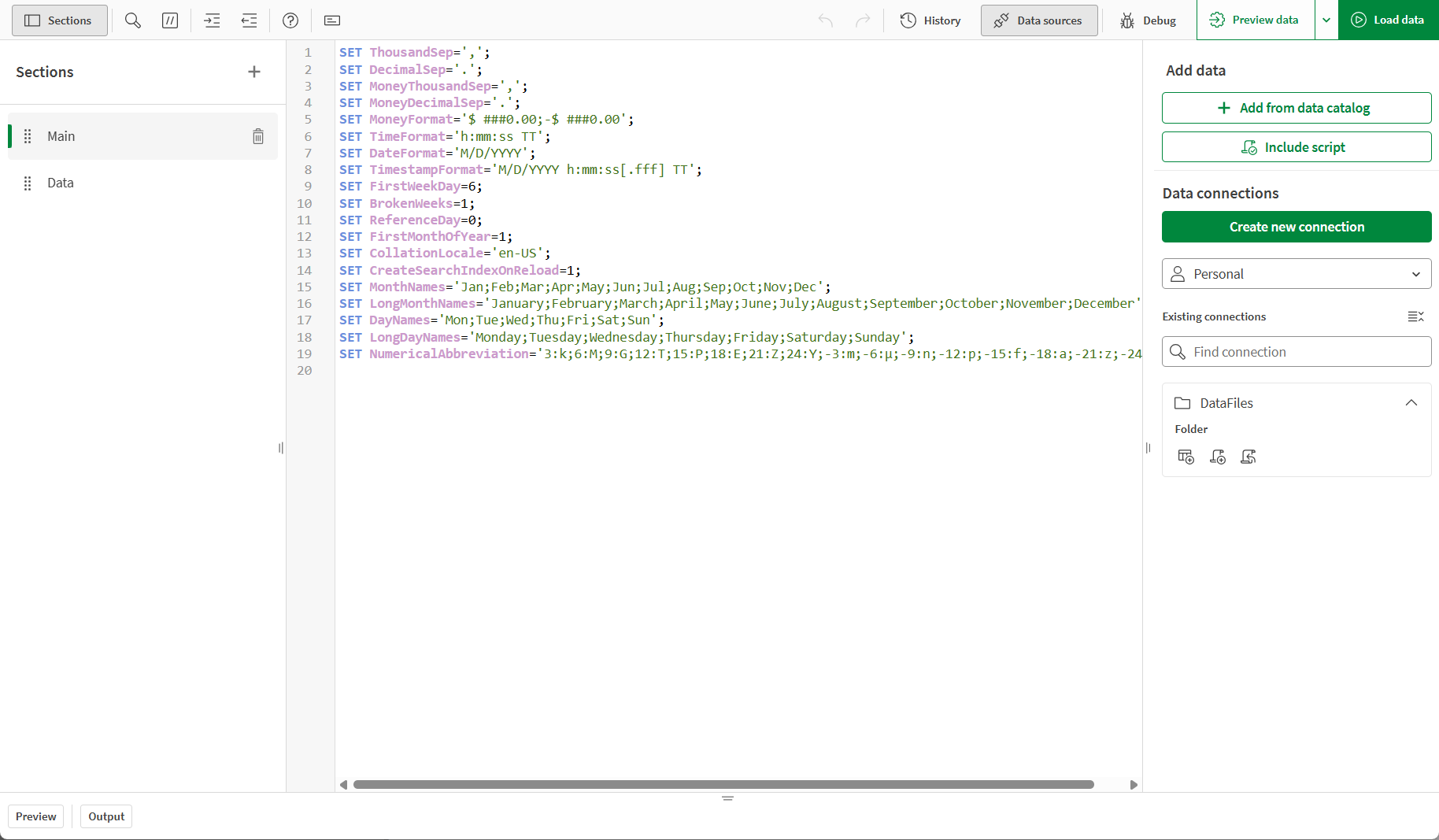
The connections panel user interface in the Data load editor and Script editor has been refreshed with an updated look and feel:
Selecting data in load scripts
You can now right-click items in the Data tab of straight tables and pivot tables to access management actions. Previously, these actions were only available by clicking next to each item.
The right-click menu provides quick access to common actions including move to top, move to bottom, hide, show, cut, copy, duplicate, paste, and delete.
The Qlik MCP server now includes knowledge base search capabilities. Your LLM clients can search and retrieve information from Qlik knowledge bases to provide answers grounded in your organization’s curated content. The qlik_search tool now includes knowledge bases as a searchable resource type, and a dedicated qlik_search_knowledgebase_chunks tool enables searching within specific knowledge base contents.
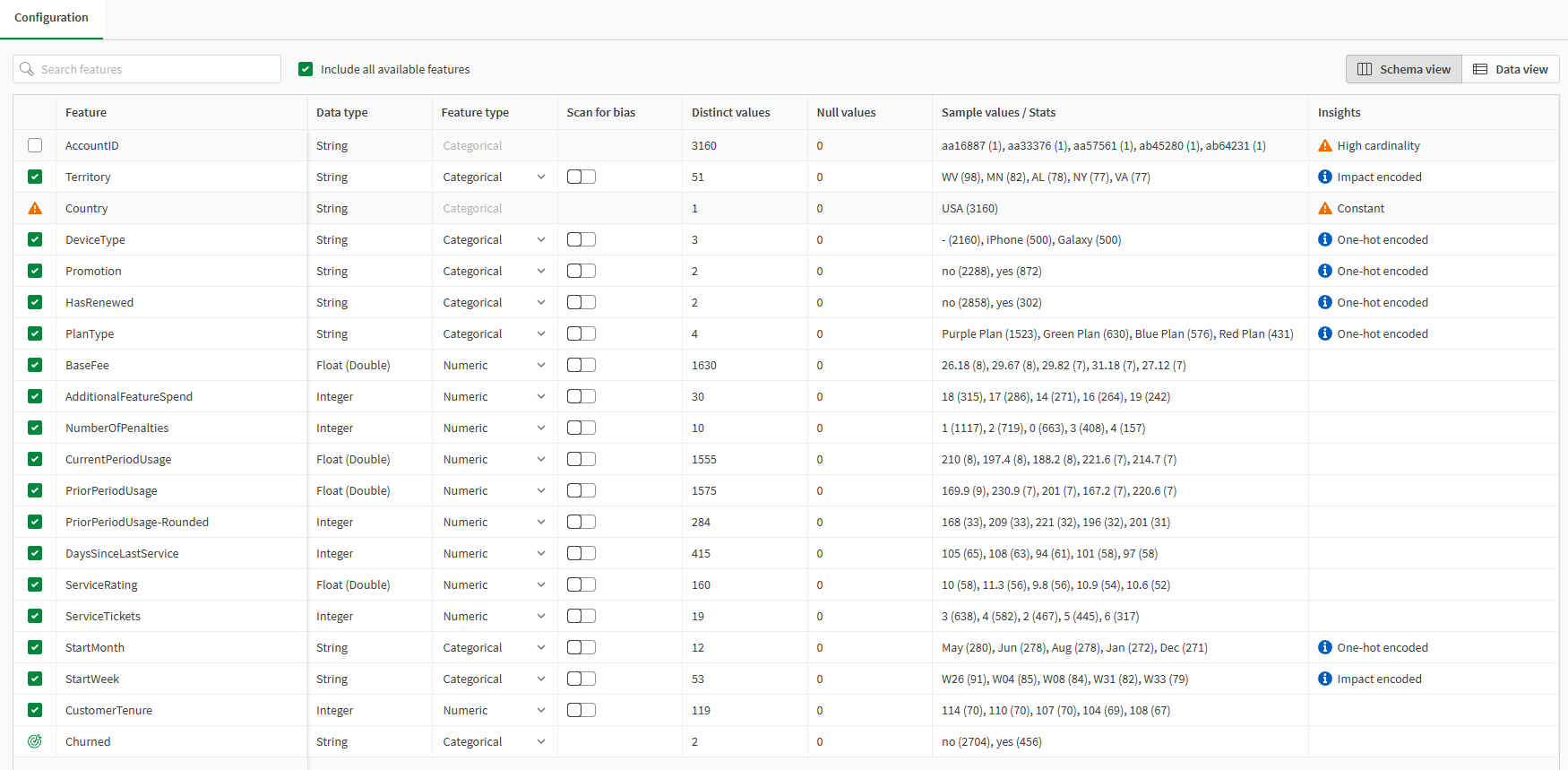
The Qlik Predict experiment setup experience is getting a usability overhaul. Updated layout moves from an accordion pattern to a dual-panel design, aligns with Qlik’s updated design system, and improves labeling and discoverability throughout the configuration flow. Customers configuring experiments will find the experience faster, cleaner, and more intuitive.
Navigating the experiment interface
Note: Not supported in Qlik Cloud Government. Not supported in Qlik Cloud Government – DoD.
You can now expand the Qlik Answers chat panel to full screen. Click  in the top-right corner of the chat window to enter full-screen mode. You can seamlessly switch between full-screen and standard view at any time. Source references and citations remain visible while in full-screen mode.
Improved scrolling in conversation history
Navigating long conversations is now smoother. The conversation history panel supports improved scrolling, allowing you to move forward and backward through previous exchanges with greater ease.

Today we’re launching a dedicated image object. All charts can have background images but an image object will be easier for new users, and also when creating multi-layer objects with mixed content. The image object handles images from media library and by URL, opacity, rotation, mirror and repeat.
You can now optimize SAP HANA CDC operations based on your storage and performance requirements. The new Record mode drop-down in SAP HANA data source connections allows you to choose how data changes are captured and stored. Select Primary Key only to minimize storage usage, or Full record to capture complete before-images of all changes and reduce load on your SAP HANA system. Full record mode also supports soft deletes on the target and provides improved accuracy for latency monitoring.
n this release, we’re introducing explicit republish control for activated data products in the Marketplace.
Previously, any edit saved to a main data product was immediately reflected in its marketplace copy. With this change, edits are held on the main data product until the data product manager is ready to share them. A new Update in marketplace button appears on the data product when there are pending changes, and an edit counter shows exactly how many modifications are waiting. Thanks to this new flow, data product managers can now iterate and refine in place without exposing incomplete updates to marketplace consumers.
The data product changelog also gains a dedicated entry, so teams have a clear audit trail of when updates were pushed to the marketplace and by whom.
Updating the data product in the marketplace
A built-in SQL Workbench is now available in Qlik Talend Cloud Pipelines, enabling data exploration and troubleshooting without leaving the platform. Previously, querying pipeline data required switching to an external SQL editor and back — the SQL Workbench eliminates that round-trip entirely.
You can browse and query datasets across all tasks, pipelines, and database schemas in their projects. When cross-project references are configured, you can also browse and query datasets from related projects in the same workspace.
SQL Workbench offers a modern developer experience — including code completion and multi-query support — and adds capabilities tailored for ad-hoc exploration:
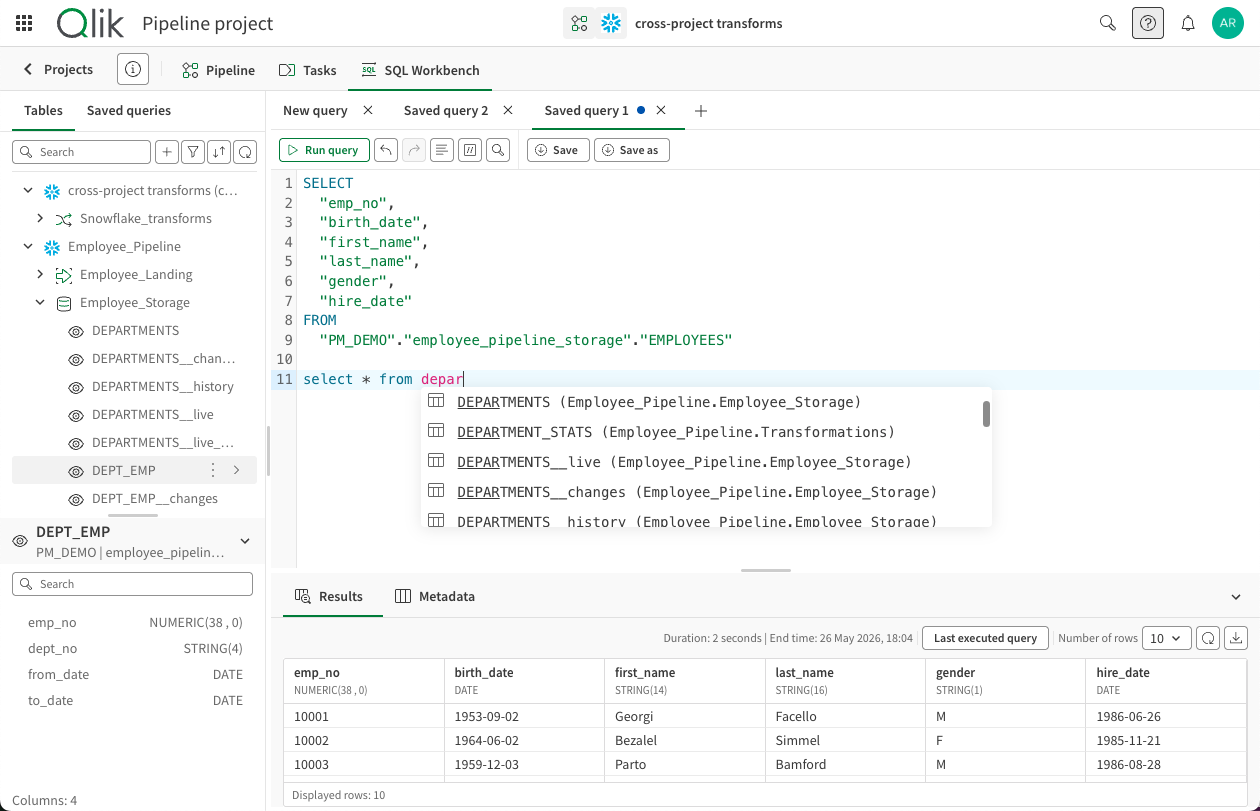
Exploring data with SQL Workbench
In this release, we’re introducing run history monitoring to Qlik Talend Cloud Pipelines.
Run history is a dedicated panel that lets you browse past runs for any task type. Just filter by date range or status, and review execution details and outcomes. Thanks to run history, users can now review how a pipeline has been behaving over time, run by run.
Task monitoring now also comes with a cleaner, more intuitive interface that makes it easier to track task and dataset activity, performance, and status at a glance.
Monitoring an individual data task
Qlik Open Lakehouse projects now support mirroring data to Databricks, expanding the data mirror feature to enable multi-platform analytics from a single project. In addition to existing targets such as Snowflake and Redshift, Databricks is now available as a mirror target, allowing one dataset to be queried from one or more cloud data warehouses.
With mirror tasks, Qlik enables multi-platform data pipelines without data duplication. You can query data stored in Iceberg tables in your lakehouse directly from Databricks, eliminating the need for additional storage while maintaining consistent, up-to-date data access.
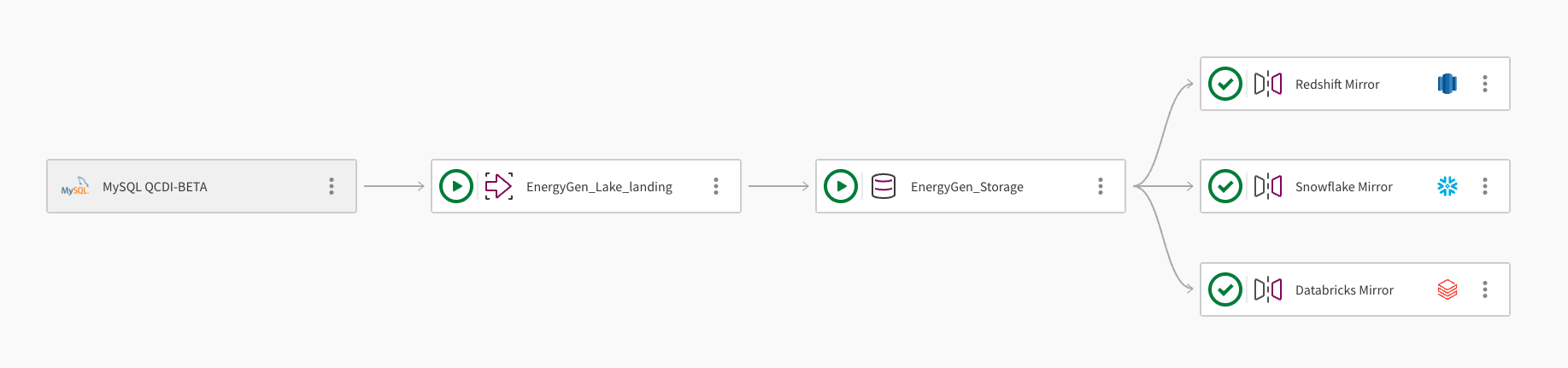
This enhancement also supports a Medallion architecture approach:
Mirroring data to a cloud data warehouse
Qlik Talend Cloud Pipelines now includes primary key helpers for SQL transformations:
When creating a custom SQL transformation, you can:
See how a validation rule affects your data before saving or running it, so you can fine-tune logic with confidence. This release introduces a rule impact preview capability directly within the rule designer.
Inline impact preview: While building or editing a validation rule, you can now trigger a preview that shows how the current rule logic would perform against your dataset, without saving or running the rule first.
The preview displays the count and percentage of records that would be flagged as invalid, based on the sample used for quality computation.
Why it matters
This capability enables fewer overly restrictive rules, fewer false positives, and less rework after deployment. Teams can move from rule design to confident activation faster, with greater trust in the rules they create.
For performance reasons, the preview is based on a computed sample, not the full dataset.
……. … ………… ….
Any questions please contact our consultants. Responding in one working day.