Reading time: 20 min
Qlik’s July release brings meaningful upgrades to AI-powered analytics and data preparation. Qlik Answers introduces a new Fast Mode for instant, retrieval-style answers, plus smarter semantic matching using linked business glossary terms. Table Recipe gets a major data-quality overhaul with automatic type detection, visual quality indicators, one-click cleansing, calculated columns, and flexible number formatting. Watch to see what’s new and how to make the most of these features in your Qlik workflow.
ANALYTICS
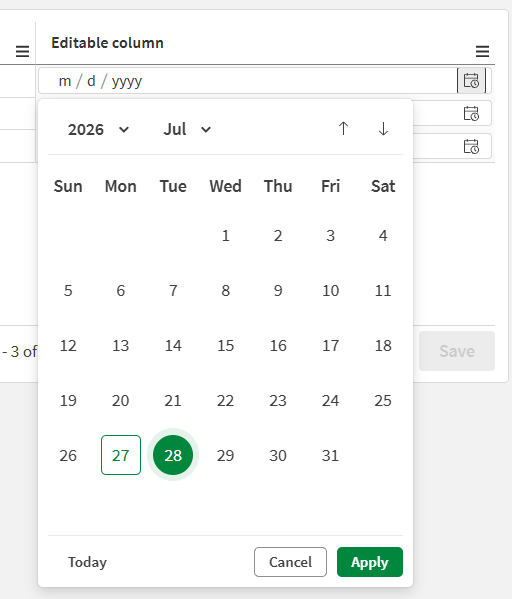
Write table now supports a Date picker input type for editable columns. Users can select dates directly in table cells and save changes to the change store, alongside existing manual entry and single-selection input methods.
For more information, see Date picker.
You can now export new conversations with the Qlik Answers assistant as PDF files. This capability supports conversations involving both structured and unstructured data within an application and assistant context. Note: conversations created before this release cannot be exported.
Qlik Answers now uses linked business glossary definitions and synonyms when indexing application master items, improving semantic matching and consistency across terminology used in user questions.
Glossary definitions are evaluated at indexing time. If glossary definitions are updated after indexing, reindex the application to apply the changes. Only glossary terms in Verified state are considered.
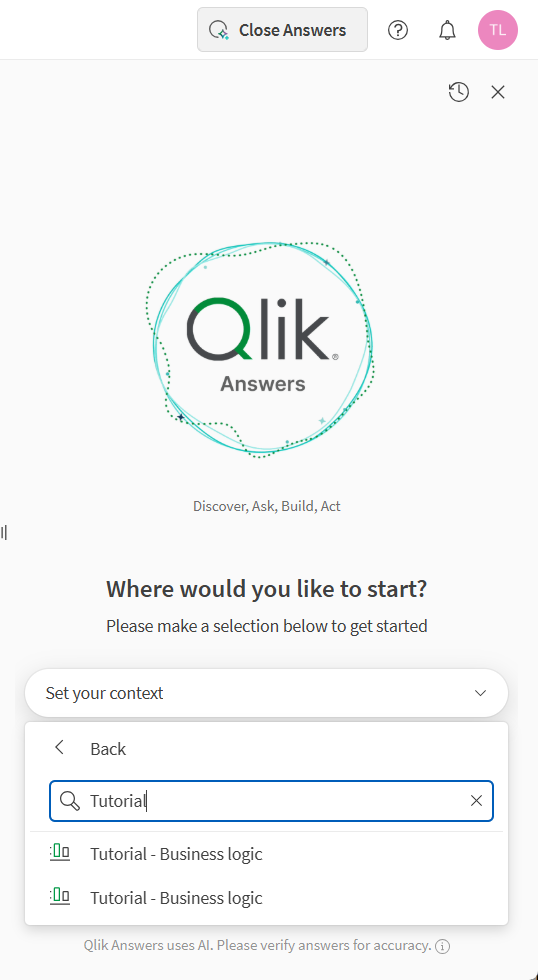
Working with applications in Qlik Answers
Combining master item descriptions and business glossary terms
Note: Not supported in Qlik Cloud Government. Not supported in Qlik Cloud Government – DoD.
Qlik Answers now includes Fast mode — a new default experience for application analysis that returns answers in seconds.
What changed
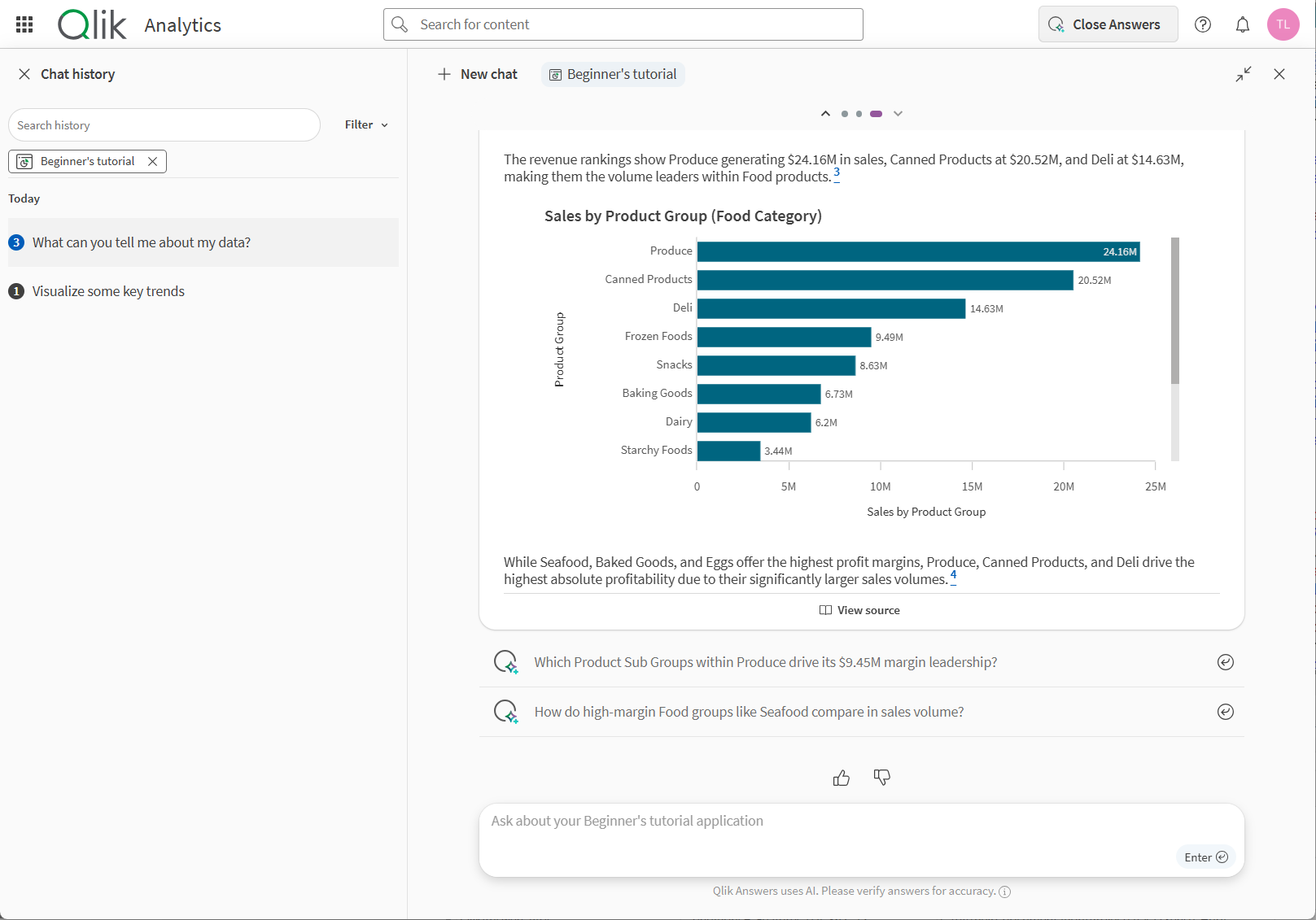
When you open an application in Qlik Answers and ask a question, you are now in Fast mode by default. Fast mode is optimized for direct, retrieval-style questions against structured data: pulling a number, slicing by a dimension, generating a quick chart. For these kinds of questions, it is significantly faster than before.
This is the mode you will use most of the time. It handles the everyday questions well, and it handles them fast.
What stays the same
Thinking mode is still there, still works exactly as before, and is still the right choice for complex analysis, multi-step reasoning, or building charts and sheets from scratch. Nothing about Thinking mode has changed — it is just no longer the only option.
Switching modes
If Fast mode is not what you need, switching takes one click. The mode toggle sits in the chat interface once you have selected an application. Your conversation context carries over when you switch — you do not lose what you were working on.
If Fast mode genuinely cannot answer a question, it will tell you so rather than returning a weak response. A Think more button appears below the answer, and clicking it reruns your question in Thinking mode with full context preserved. You do not need to re-ask anything.
When to use each
Use Fast mode for questions like:
Switch to Thinking mode when you want to:
Availability
Fast mode is on by default for all users with access to application analysis in Qlik Answers. No configuration required.
Answering questions with Qlik Answers
Note: Not supported in Qlik Cloud Government. Not supported in Qlik Cloud Government – DoD.
Table Recipe now has native data quality capabilities to detect, visualize, and fix invalid or inconsistent data. These capabilities make it easier to prepare clean, reliable datasets for analytics or machine learning, without leaving the no-code, spreadsheet-like interface.
Data quality features are available in both standalone table recipes and the table recipe processor in a data flow, and requires the data quality license entitlement (Qlik Cloud Analytics Premium and Enterprise, and Qlik Sense Enterprise SaaS).
Assessing the quality of the data
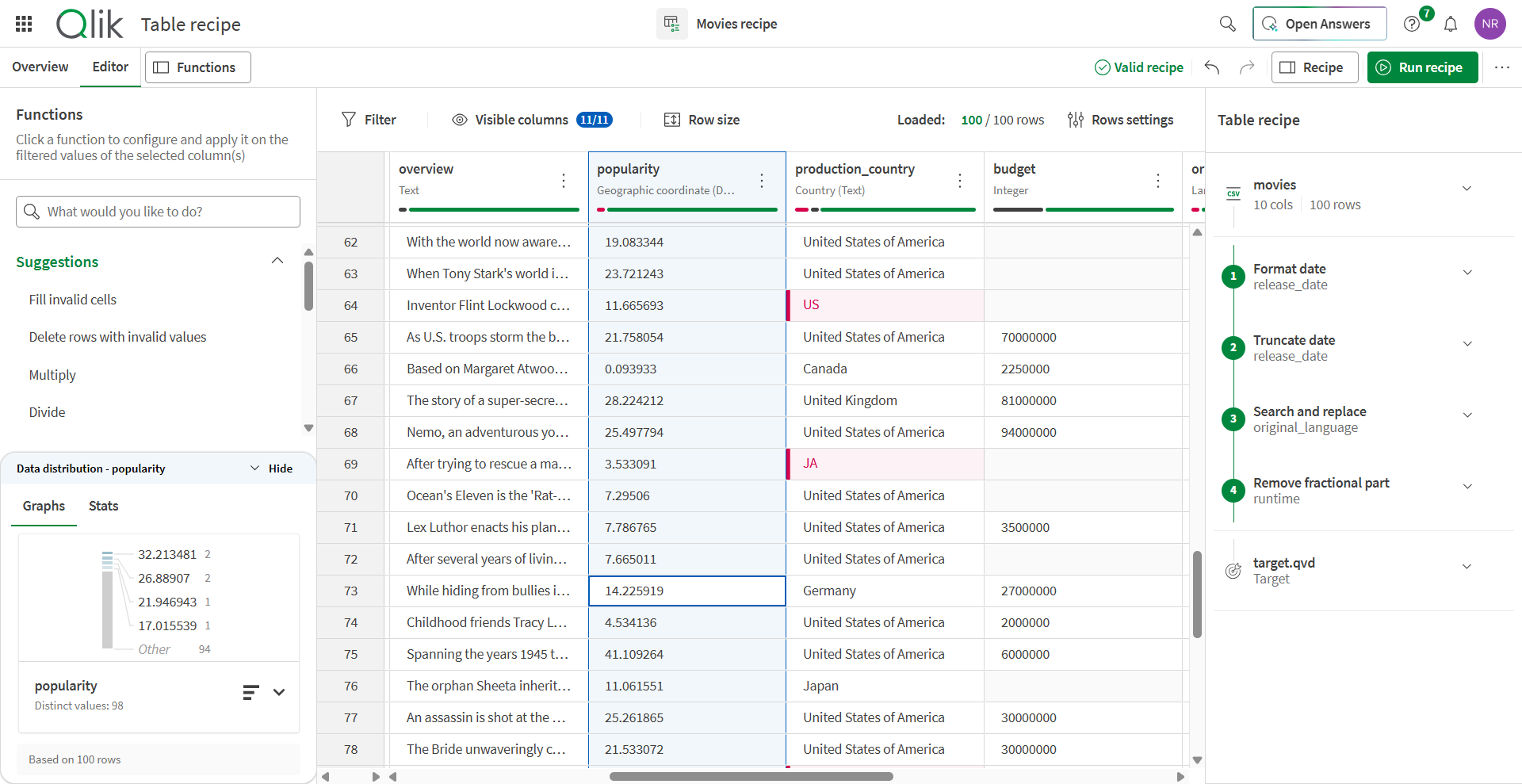
Table Recipe adds calculated columns and number formatting, bringing more flexible data preparation logic into the no-code, spreadsheet-like interface.
Store changes settings are now available for lake landing replication tasks in a dedicated Store changes tab. With these new capabilities, lake landing replication functionality further bridges the gap with standard replication functionality, enabling consistent change management across replication task types.
Key features include:
Data products Qlik Trust Score™ drill down now gives you a deeper, more actionable view of trust and quality.
What’s new
A new Quality tab inside each data product gives you forensic-level visibility into your composite Qlik Trust Score™, so you can see not just where the score sits today, but what’s moving it and which datasets are driving the change.
From the Quality tab you can follow the score from headline number all the way to root cause, layer by layer.
Why this matters
Data product owners can now pinpoint exactly what’s impacting their trust score and why, getting to root cause in just a few clicks without leaving the data product. That transparency enables the Qlik Trust Score™ to be a truly explainable signal consumers can rely on, and producers can act on.
You can now define advanced data quality checks with expressions using Qlik script syntax, directly from the rule builder. Rules also now support multiple conditions with else if for branching logic, all without leaving the guided user interface.
What’s available
Users also benefit from inline expression validation with actionable error feedback before the rule is saved.
Data consumers can now request access to data products directly from the data product marketplace when they lack the necessary permissions to access a dataset.
Previously, users who discovered a data product of interest but did not have the required connections or permissions — such as the ability to read a Snowflake table — had to manually identify the appropriate person in their organization to request access, causing delays and interruptions to their workflows.
With this new feature, users can submit an access request directly through the marketplace by completing a form that captures key details, including their name, job position, reason for the request, and the level of permission required. This enables organizations to streamline and customize their data access workflows, reducing the time data consumers spend waiting for access and improving overall productivity and data utilization.
Qlik Cloud can now automatically detect and flag sensitive data based on semantic types, replacing purely manual sensitivity declaration. Classifications are then constantly applied across datasets, and fields not covered by a semantic type can still be classified manually. Users can also apply regulations directly at the dataset level when it applies. This information will surface automatically when activating a data product, ensuring consumers are aware of compliance requirements before a data product is visible on the marketplace for consumption.
Header columns are metadata columns (such as timestamp) that Open Lakehouse adds to every ingested record. We have introduced the following set of improvements to give more control over header column management:
Showing header columns in views
Note: Not supported in Qlik Cloud Government.
API Designer is now available in Qlik Cloud, covering three key stages of the API development lifecycle: design, documentation, and testing. With an easy learning curve, users without API coding experience can design APIs and publish their documentation directly in Qlik Cloud.
The graphical interface lets you create OpenAPI Specification (OAS)/Swagger or RAML API definitions without learning the underlying syntax. Repository-based sharing supports team collaboration on API projects. Completed APIs can be implemented in Talend Studio and deployed.
Note: Not supported in Qlik Cloud Government. Not supported in Qlik Cloud Government – DoD.
The full Stitch SaaS connectors catalog is now natively integrated into Qlik Talend Cloud, giving you access to over 100 pre-built connectors for popular sources including Salesforce, Jira, Marketo, Zendesk, and more. SaaS application connectors now support Replication, Data pipeline, and Open Lakehouse use cases. While most SaaS application connectors are fully certified, some of them are classified as Lite, meaning they have been tested against a limited set of use cases.
For a list of supported connectors, see Supported SaaS applications. The list will constantly grow as more connectors become available.
Note: Not supported in Qlik Cloud Government. Customers using Data Movement gateway who want to create new tasks with SaaS application connectors must upgrade to Data Movement 2025.11.66 or later.
……. … ………… ….
Any questions please contact our consultants. Responding in one working day.